Microsoft Copilot vs ChatGPT: Which Is Better?
Artificial intelligence is changing how people write, learn, research, and complete everyday tasks. AI assistants can help users generate ideas, understand complex topics, summarize information, and improve productivity.
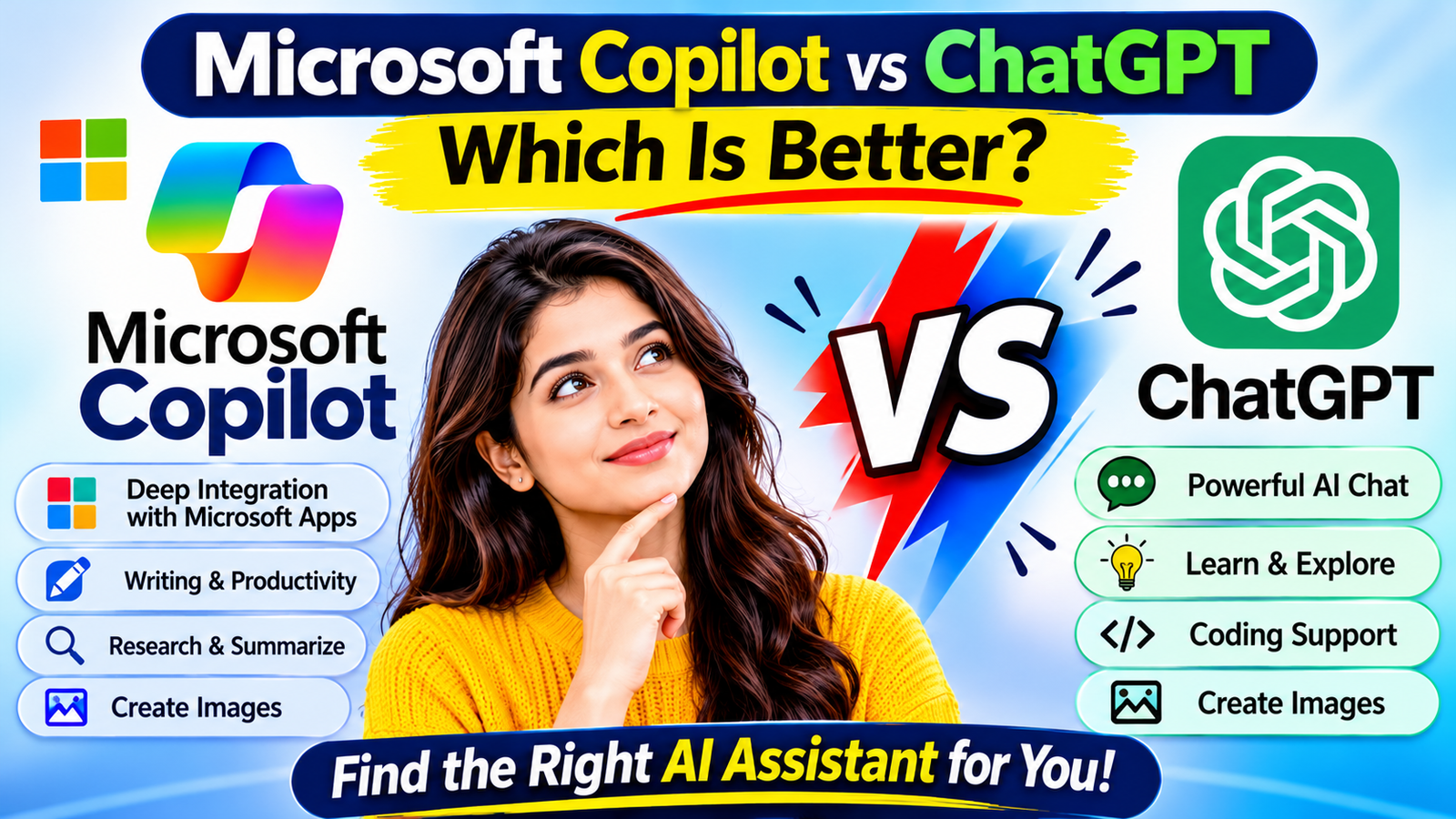
Two popular AI assistants are Microsoft Copilot and ChatGPT. Both can answer questions, help with writing, generate ideas, and support different types of work. However, they offer different experiences and integrations.
So, which one is better: Microsoft Copilot or ChatGPT?
The answer depends on what you want to do. If you regularly use Microsoft applications such as Word, Excel, PowerPoint, and Outlook, Copilot may be a convenient choice. If you want a flexible AI assistant for a wide range of conversations, writing, learning, analysis, and creative tasks, ChatGPT may be a better fit.
In this guide, we will compare Microsoft Copilot vs ChatGPT in simple language, explore their features, discuss their advantages and limitations, and help you choose the right AI assistant.
What Is Microsoft Copilot?
Microsoft Copilot is an AI-powered assistant developed by Microsoft. It helps users answer questions, generate content, summarize information, create images, and complete supported tasks.
Copilot is available through its web and mobile experiences, desktop applications, and selected Microsoft products.
One of its major advantages is its connection with the Microsoft ecosystem. Depending on the subscription and account, Copilot can provide assistance inside applications such as Word, Excel, PowerPoint, Outlook, and Teams.
For example, you may use Copilot to draft an email, improve a document, understand spreadsheet data, or prepare a presentation.
You can explore it through the official website: https://copilot.cloud.microsoft/
What Is ChatGPT?
ChatGPT is an AI assistant developed by OpenAI. It can understand natural-language instructions and help users with many different tasks.
People use ChatGPT for:
- Writing articles, emails, and reports.
- Learning new topics.
- Brainstorming ideas.
- Summarizing and explaining information.
- Coding and debugging.
- Analyzing supported files and data.
- Creating images in supported experiences.
- Planning projects and everyday activities.
ChatGPT is designed as a general-purpose AI assistant. Its available tools and features depend on the model, account, and subscription.
You can explore ChatGPT through its official website: https://chatgpt.com/
Microsoft Copilot vs ChatGPT: Quick Comparison
Here is a simple overview of the two AI assistants.
| Feature |
|---|
| Microsoft Copilot |
|---|
| ChatGPT |
|---|
| Developer |
|---|
| Microsoft |
|---|
| OpenAI |
|---|
| Main purpose |
|---|
| AI assistance with Microsoft ecosystem integration |
|---|
| General-purpose AI assistant |
|---|
| AI conversations |
|---|
| Yes |
|---|
| Yes |
|---|
| Writing assistance |
|---|
| Yes |
|---|
| Yes |
|---|
| Research assistance |
|---|
| Yes |
|---|
| Yes |
|---|
| Summarization |
|---|
| Yes |
|---|
| Yes |
|---|
| Image generation |
|---|
| Available in supported experiences |
|---|
| Available in supported experiences |
|---|
| File analysis |
|---|
| Available in supported experiences |
|---|
| Available in supported experiences |
|---|
| Microsoft 365 integration |
|---|
| A major strength |
|---|
| Depends on available integrations and tools |
|---|
| Coding assistance |
|---|
| Yes |
|---|
| Yes |
|---|
| Free access |
|---|
| Available |
|---|
| Available |
|---|
| Paid options |
|---|
| Available |
|---|
| Available |
|---|
Features and limits can change. The exact experience depends on the account, subscription, region, and product version.

1. Writing and Content Creation
Both Copilot and ChatGPT can help users create and improve written content.
Microsoft Copilot for Writing
Copilot can assist with:
- Drafting professional emails.
- Improving document wording.
- Creating summaries.
- Rewriting paragraphs.
- Preparing reports.
- Generating ideas for presentations.
Its integration with Microsoft 365 can be particularly useful when working directly with supported Word and Outlook features.
ChatGPT for Writing
ChatGPT can help with:
- Blog post outlines.
- Complete article drafts.
- Social media captions.
- Product descriptions.
- Email writing.
- Editing and proofreading.
- Different writing styles and tones.
It can also help refine content through follow-up instructions.
Which is better for writing?
Both are useful. ChatGPT is a flexible choice for a wide variety of writing tasks, while Copilot is convenient when your writing work is closely connected to Microsoft 365 applications.
2. Research and Information
Research is another important area where both tools can help.
Microsoft Copilot for Research
Copilot can help users explore topics and find web-based information in supported experiences. It may provide references that help readers check where information came from.
You can ask it to explain a topic, compare ideas, or summarize information.
ChatGPT for Research
ChatGPT can help explain complex subjects, organize research, compare information, and summarize supported sources or uploaded files.
When research tools are available, it can also help find and review information from the web.
Which is better for research?
Both can be helpful. The better choice depends on the sources, tools, and workflow available in your account.
For important research, always open the original sources and verify facts instead of relying only on an AI-generated answer.
3. Image Generation
AI image generation allows users to create visuals by describing what they want.
Microsoft Copilot Image Generation
Copilot supports image creation in available experiences. Users can describe a scene, object, or design and ask Copilot to generate an image.
Example prompt:
“Create an illustration of a modern home office with a laptop, plants, and natural lighting.”
ChatGPT Image Generation
ChatGPT also supports image generation in available experiences. Users can describe an image, request creative variations, and refine the result through follow-up instructions.
Example prompt:
“Create a clean educational illustration showing five ways beginners can use artificial intelligence in everyday life.”
Which is better for image creation?
Both can be useful. Compare the quality, editing controls, available limits, and terms of use in your own account before choosing one.
If you plan to use generated images commercially, review the applicable service terms and check the output carefully.
4. Microsoft Office Integration
This is one of the most important differences between the two products.
Microsoft Copilot
Copilot has a strong connection with Microsoft’s ecosystem.
Depending on your subscription and account, supported features can help with:
- Word: Drafting, rewriting, and summarizing documents.
- Excel: Understanding data, creating formulas, and finding insights.
- PowerPoint: Creating and improving presentations.
- Outlook: Drafting emails and summarizing email threads.
- OneNote: Organizing notes and preparing plans.
- Teams: Working with supported meeting summaries and collaboration features.
Not all capabilities are included in every Microsoft plan.
ChatGPT
ChatGPT can help with documents, spreadsheets, presentations, and other work through its available tools and supported integrations.
However, its experience is different from Copilot’s direct integration into Microsoft 365 applications. The available workflow depends on the tools and connections supported by your account.
Which is better for Microsoft Office users?
Microsoft Copilot is generally the more natural choice if you want AI assistance directly within supported Microsoft 365 applications.
5. Coding and Technical Assistance
Both assistants can help beginners and experienced developers with programming-related tasks.
Microsoft Copilot
Copilot can explain code, suggest solutions, and help users understand technical concepts. Microsoft’s developer-focused Copilot products also provide coding assistance in supported development environments.
ChatGPT
ChatGPT can help with:
- Writing code.
- Explaining programming concepts.
- Finding possible bugs.
- Debugging errors.
- Understanding APIs.
- Learning programming languages.
- Planning software projects.
Which is better for coding?
It depends on your development workflow. ChatGPT is useful as a general coding and learning assistant, while Microsoft’s developer tools can be convenient for people already working in supported Microsoft development environments.
Always test generated code and review security before using it in a real application.
6. Free vs Paid Plans
Both Microsoft Copilot and ChatGPT provide free access options and paid plans.
However, free access does not necessarily include every feature. Usage limits, model availability, file tools, image generation, and advanced capabilities can vary.
Microsoft Copilot
Microsoft provides a free Copilot experience for general questions, writing assistance, web-based tasks, and supported image creation.
Eligible Microsoft 365 subscriptions can provide additional Copilot capabilities and deeper integration with Microsoft applications.
ChatGPT
ChatGPT also offers a free experience, along with paid subscription options that may provide higher limits and access to additional capabilities.
The available features depend on the current plan and account.
Free vs Paid Comparison
| Area |
|---|
| Free options |
|---|
| Paid options |
|---|
| AI chat |
|---|
| Available |
|---|
| Available |
|---|
| Writing help |
|---|
| Available |
|---|
| Additional capabilities may apply |
|---|
| Research |
|---|
| Available features vary |
|---|
| Additional tools or limits may apply |
|---|
| Image creation |
|---|
| Subject to limits and availability |
|---|
| Higher limits or additional capabilities may apply |
|---|
| File tools |
|---|
| Limited or plan-dependent |
|---|
| More capabilities may be available |
|---|
| Advanced features |
|---|
| Vary by product |
|---|
| Depend on subscription |
|---|
Before purchasing either service, check the official plan pages:
Microsoft Copilot: https://www.microsoft.com/microsoft-365/copilot
ChatGPT: https://chatgpt.com/pricing/
Do not choose a paid plan only because it promises more features. First identify which features you actually need.
7. Ease of Use for Beginners
Both tools are designed to accept natural-language instructions, so beginners do not need programming knowledge to start using them.
Microsoft Copilot
Copilot may feel especially convenient for people who already use Microsoft products. Its integration with supported applications can make everyday office tasks easier to approach.
ChatGPT
ChatGPT offers a conversational interface where users can ask questions, request explanations, and improve responses through follow-up prompts.
It can be useful for beginners who want to explore different AI tasks from one place.
Which is easier for beginners?
Both are beginner-friendly. If you already work with Microsoft applications, Copilot may feel more familiar. If you want to experiment with many kinds of AI conversations, ChatGPT is a good starting point.
8. Privacy and Data Security
Privacy is important when using any AI assistant.
Both Microsoft and OpenAI provide privacy information and account settings. However, data handling can differ between personal, work, and school accounts, as well as between different products and plans.
Follow these safety practices:
- Do not share passwords or login credentials.
- Avoid entering confidential business information into an unapproved AI tool.
- Be careful when uploading personal documents.
- Review the privacy settings of your account.
- Follow your organization’s AI usage policies.
- Verify important information before using it.
For workplace use, check whether your organization has approved a particular AI service and which data protections apply to your account.
9. Advantages and Disadvantages
Microsoft Copilot: Advantages
- Strong connection with Microsoft products.
- Useful for supported Word, Excel, PowerPoint, and Outlook tasks.
- Helps with writing, research, and summarization.
- Offers a free starting point.
- Supports image creation in available experiences.
Microsoft Copilot: Disadvantages
- Some advanced features require eligible subscriptions.
- Capabilities can differ across personal and business accounts.
- Some features have usage limits.
- Its strongest advantages may be less relevant to people who do not use Microsoft applications.
ChatGPT: Advantages
- Flexible general-purpose AI assistant.
- Useful for writing, learning, coding, and brainstorming.
- Supports a wide variety of conversational tasks.
- Offers tools for supported file and data workflows.
- Can help users refine responses through follow-up instructions.
ChatGPT: Disadvantages
- Some advanced features require paid access.
- Usage limits may apply.
- It can produce inaccurate information.
- Some workflows require separate tools or integrations.
10. Which One Should You Choose?
The right AI assistant depends on your daily tasks.
Choose Microsoft Copilot If:
- You regularly use Microsoft Word and Excel.
- You work with PowerPoint presentations.
- You manage many emails in Outlook.
- You want AI assistance inside supported Microsoft applications.
- Your organization uses Microsoft 365.
Choose ChatGPT If:
- You need a flexible AI assistant for different tasks.
- You regularly write articles and content.
- You want help learning new topics.
- You need coding explanations and brainstorming.
- You want to explore a broad range of AI workflows.
Can You Use Both?
Yes. You do not have to choose only one.
For example, you could use ChatGPT to brainstorm an article outline and use Copilot to help refine a document in Word. You could also use either assistant to explain a topic, summarize information, or generate ideas.
Using both tools can be useful when each one serves a different purpose.
11. Practical Examples: Copilot vs ChatGPT
Here are a few examples to understand how both tools can help.
Example 1: Writing an Email
Prompt:
“Write a polite professional email asking a customer to confirm their delivery address.”
Both assistants can generate an email draft. Copilot may be convenient if you want to work within supported Outlook features.
Example 2: Learning Artificial Intelligence
Prompt:
“Explain artificial intelligence to a beginner using five simple examples.”
Both can provide an explanation and answer follow-up questions.
Example 3: Creating a Blog Outline
Prompt:
“Create a beginner-friendly blog outline about the benefits of AI tools for small businesses.”
Both can suggest headings and content ideas. Review the outline and add original research before publishing.
Example 4: Understanding Excel Data
Prompt:
“Explain how I can calculate monthly sales growth in Excel using a simple example.”
Both can explain the formula. Copilot may be especially convenient when using supported Excel integration.
Example 5: Creating an Image
Prompt:
“Create an educational illustration showing a person using an AI assistant on a laptop.”
Both offer image-generation capabilities in supported experiences. Compare the output and available editing options.
Frequently Asked Questions
1. Is Microsoft Copilot better than ChatGPT?
Not for every task. Copilot is particularly useful for supported Microsoft 365 workflows, while ChatGPT is a flexible general-purpose assistant. The best choice depends on your needs.
2. Which AI is better for beginners?
Both are beginner-friendly. Choose Copilot if you mainly use Microsoft applications, or ChatGPT if you want a flexible assistant for different activities.
3. Is Microsoft Copilot free?
Yes. Microsoft offers free Copilot access. Some advanced features and higher usage limits require eligible paid subscriptions.
4. Is ChatGPT free?
ChatGPT offers a free plan. Paid plans provide additional capabilities and limits depending on the current subscription.
5. Can Copilot and ChatGPT write articles?
Yes. Both can help with outlines, drafts, editing, and content ideas. Always fact-check, add original insights, and review AI-generated content before publishing.
6. Which is better for Excel?
Copilot can be especially useful because of its integration with supported Excel experiences. ChatGPT can also explain formulas and help analyze spreadsheet data when suitable tools or file support are available.
7. Which is better for image generation?
Both support image generation in available experiences. The better choice depends on output quality, editing needs, usage limits, and your preferences.
8. Can I use both Copilot and ChatGPT?
Yes. You can use both assistants for different tasks and compare their results.
9. Are AI-generated answers always correct?
No. Both assistants can make mistakes. Verify important information using reliable sources.
10. Do I need technical knowledge to use these AI tools?
No. Basic use does not require programming knowledge. You can type questions and instructions in everyday language.
Final Verdict: Microsoft Copilot vs ChatGPT
Microsoft Copilot and ChatGPT are both useful AI assistants, but they serve slightly different needs.
Microsoft Copilot is a strong choice for people who work regularly with Microsoft 365 applications. Its integration with supported Microsoft products can make writing, document management, email, and spreadsheet tasks more convenient.
ChatGPT is a strong choice for people who want a flexible general-purpose AI assistant. It can support writing, learning, brainstorming, coding, research, and many other activities.
There is no single winner for everyone.
If you are a beginner, try the free versions of both tools. Test them with the same tasks and see which one gives you the most useful results.
The best AI assistant is the one that helps you complete your actual work more effectively.