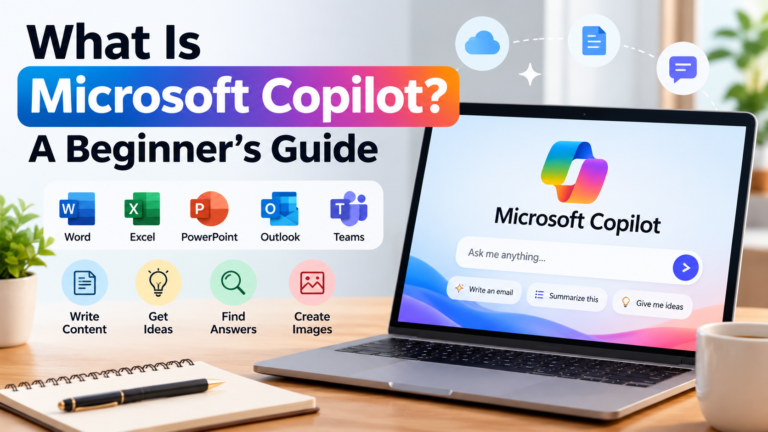
What Is Microsoft Copilot? Beginner’s Guide
Artificial intelligence is changing the way people work, learn, create content, and manage everyday tasks. From answering questions to helping with documents and research, AI assistants are becoming useful tools for beginners and professionals.
One popular AI assistant is Microsoft Copilot. It is designed to help users find information, generate content, summarize material, create images, and complete different tasks with the help of artificial intelligence.
But what exactly is Microsoft Copilot? How does it work? Is it free? And how can beginners use it in everyday life?
In this complete beginner’s guide, we will explain Microsoft Copilot in simple language, explore its main features, share practical examples, and discuss its benefits and limitations.
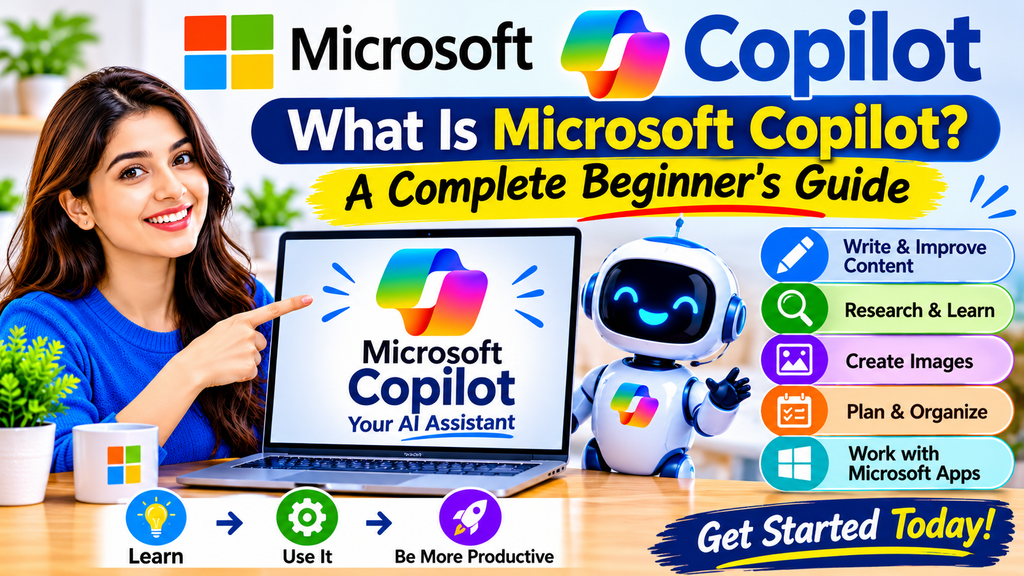
What Is Microsoft Copilot?
Microsoft Copilot is an AI-powered assistant developed by Microsoft. It uses artificial intelligence and large language models to understand questions, follow instructions, and generate helpful responses.
You can communicate with Copilot using natural language. This means you can type questions or instructions just as you would speak to another person.
For example, you can ask Copilot to:
- Explain a difficult topic in simple language.
- Write or improve a professional email.
- Summarize a long document.
- Generate ideas for a blog post.
- Help you understand information from the web.
- Create an image from a text description.
- Organize tasks and prepare a daily plan.
Microsoft Copilot is available through the web, desktop and mobile apps, and selected Microsoft products. The features you can access depend on your account, subscription, and the product you are using.
How Does Microsoft Copilot Work?
Microsoft Copilot uses large language models (LLMs) to understand and respond to user instructions.
When you enter a question or prompt, Copilot processes the request and generates a response based on the information available to it.
Depending on the experience and task, Copilot may also use web information, uploaded files, or information from connected Microsoft services that your account is permitted to access.
Here is a simplified explanation:
- You enter a prompt: Type a question or describe the task you want to complete.
- Copilot understands your request: Its AI model processes the instructions and context.
- It generates a response: Copilot creates an answer, explanation, summary, or other requested content.
- You review the result: Check the response and ask follow-up questions if needed.
- You use or improve the output: Copy, edit, or refine the result for your task.
Remember that AI-generated answers can contain mistakes. Always verify important facts before relying on them.
Main Features of Microsoft Copilot
Microsoft Copilot offers several useful features for everyday activities. Availability and usage limits can vary by account and subscription.
1. AI Writing Assistance
Copilot can help you write different types of content, including:
- Professional emails.
- Blog post outlines.
- Social media captions.
- Product descriptions.
- Reports and summaries.
- Letters and basic documents.
For example, you can enter:
“Write a professional email asking my manager for a meeting next week. Keep the tone polite and concise.”
Copilot can generate a draft that you can review and edit.
2. Research and Information
Copilot can help you explore topics, understand concepts, and find information from the web when web search is available.
You can ask questions such as:
- What is artificial intelligence?
- How does cloud computing work?
- Explain machine learning with simple examples.
- What are the advantages of renewable energy?
For research, check the sources and references provided with the answer. Do not assume every generated statement is accurate.
3. Summarizing Long Content
Reading long documents or webpages can take time. Copilot can help create shorter summaries.
You can provide supported content or a file and ask Copilot to:
- Summarize the main points.
- Extract important information.
- Create a list of key takeaways.
- Explain difficult paragraphs.
- Turn notes into a short overview.
Always check that the summary has not missed an important detail.
4. AI Image Creation
Copilot can help generate images from text descriptions in supported experiences.
For example, you might enter:
“Create a realistic illustration of a modern home office with a laptop, plants, natural lighting, and a clean workspace.”
The generated image can be useful for brainstorming, creative projects, and visual ideas.
Image generation availability, limits, and usage terms may differ. Review the applicable terms before using generated images commercially.
5. Help With Learning
Students and beginners can use Copilot to understand subjects and learn new skills.
For example, you can ask:
- Explain computer networking in simple language.
- Teach me basic Excel formulas with examples.
- Explain the difference between AI and machine learning.
- Create five practice questions about digital marketing.
Copilot can act as a learning assistant, but it should not replace textbooks, teachers, or reliable educational sources.
6. Planning and Productivity
Copilot can help organize ideas and prepare simple plans.
You can ask it to:
- Create a daily task list.
- Prepare a weekly study schedule.
- Organize a project into smaller steps.
- Suggest a meeting agenda.
- Create a basic travel checklist.
Review the plan and adjust it according to your actual needs.
How to Access Microsoft Copilot
Beginners can access Microsoft Copilot in different ways.
1. Use Copilot on the Web
The web version is a simple way to get started.
Steps:
- Open your web browser.
- Visit https://copilot.cloud.microsoft/.
- Sign in with an available account if you want access to account-based features.
- Open a new chat.
- Type your question or instruction.
- Review the response and ask follow-up questions.
Some features may be available without signing in, while signing in can provide additional account-based features.
2. Use the Microsoft Copilot Desktop App
Microsoft provides a Copilot app for supported desktop systems.
You can find the app through Microsoft’s official download or app-store options. Install it only from a trusted Microsoft source.
After installation, open the app and sign in if required.
3. Use Copilot on Mobile
You can also access Copilot through its mobile app on supported iOS and Android devices.
Search for Microsoft Copilot in the official Apple App Store or Google Play Store. Check the publisher before installing an app.
4. Use Copilot With Microsoft Apps
Depending on your account and subscription, Copilot features may be available in Microsoft products such as Word, Excel, PowerPoint, Outlook, OneNote, and Teams.
For example:
- Word: Help draft, rewrite, and summarize documents.
- Excel: Help understand data, formulas, and insights.
- PowerPoint: Help create or improve presentations.
- Outlook: Help draft and summarize emails.
- OneNote: Help organize notes and ideas.
- Teams: Help with supported meeting summaries and work tasks.
Not every feature is available to every user. Check your Microsoft account and license to understand what is included.
Practical Ways to Use Microsoft Copilot in Everyday Life
Here are some beginner-friendly examples.
For Students
Students can use Copilot to:
- Understand difficult topics.
- Create revision notes.
- Prepare practice questions.
- Improve grammar and writing.
- Organize study schedules.
Example prompt:
“Explain photosynthesis in simple English and give me three real-life examples.”
For Office Workers
Office workers can use Copilot to:
- Draft professional emails.
- Prepare meeting agendas.
- Summarize information.
- Organize project tasks.
- Improve document clarity.
Example prompt:
“Create a short meeting agenda for a team discussion about next month’s project goals.”
For Bloggers and Content Creators
Bloggers can use Copilot to:
- Brainstorm article topics.
- Prepare content outlines.
- Generate headline ideas.
- Improve grammar and readability.
- Create social media captions.
Example prompt:
“Suggest 10 beginner-friendly blog topics about artificial intelligence and explain the search intent behind each topic.”
Use AI as a writing assistant, not as a replacement for original research, personal experience, fact-checking, and editorial judgment.
For Small Business Owners
Small business owners can use Copilot to:
- Draft customer replies.
- Prepare product descriptions.
- Generate marketing ideas.
- Organize business tasks.
- Create simple business checklists.
Example prompt:
“Write a friendly product description for a reusable stainless steel water bottle. Keep it clear and avoid unsupported claims.”
For Everyday Personal Tasks
You can also use Copilot for simple activities such as:
- Preparing a shopping list.
- Planning a weekly routine.
- Writing invitations.
- Organizing household tasks.
- Learning a new skill.
Example prompt:
“Create a simple weekly household task schedule for a family. Organize it by day.”
How to Write Better Prompts for Microsoft Copilot
A prompt is the instruction or question you give to an AI assistant.
A clear prompt usually produces a more useful response.
Try this simple structure:
Task + Context + Details + Output Format
For example:
“Write a professional email (Task) to a customer who has asked about a delayed order (Context). Apologize politely and explain that we are checking the delivery status (Details). Keep it under 120 words (Output Format).”
Here are more useful prompt examples:
- “Explain artificial intelligence to a complete beginner using simple examples.”
- “Summarize this text into five important bullet points.”
- “Create a professional email requesting a project update.”
- “Prepare a seven-day study plan for learning basic Excel.”
- “Suggest 10 YouTube video ideas about beginner-friendly AI tools.”
- “Rewrite this paragraph in clear and simple English.”
- “Create a checklist for launching a small online business.”
- “Explain this Excel formula step by step.”
- “Compare two ideas in a simple table.”
- “Give me three different ways to improve this article introduction.”
If the first answer is not useful, add more details or ask Copilot to revise it.
Is Microsoft Copilot Free?
Microsoft offers free Copilot access, along with paid Microsoft subscription options that provide additional capabilities.
The free version is suitable for many beginners who want to explore AI chat, ask questions, get writing assistance, and use supported features.
Paid Microsoft 365 plans and business licenses may offer additional features, higher usage limits, and deeper integration with Microsoft applications or work data.
The exact benefits depend on the plan, account type, region, and current Microsoft product offering.
Before purchasing a subscription, check the official Microsoft plan details: https://www.microsoft.com/microsoft-365/copilot
Microsoft Copilot Free vs Paid: What’s the Difference?
| Feature |
|---|
| Free Copilot |
|---|
| Paid options |
|---|
| AI chat |
|---|
| Available |
|---|
| Available |
|---|
| General questions |
|---|
| Available |
|---|
| Available |
|---|
| Writing assistance |
|---|
| Available |
|---|
| More capabilities may be included |
|---|
| Image creation |
|---|
| Subject to availability and limits |
|---|
| Higher limits or additional capabilities may apply |
|---|
| Microsoft app integration |
|---|
| Varies |
|---|
| More advanced integration may be included |
|---|
| Work data access |
|---|
| Limited or unavailable in some experiences |
|---|
| Depends on license and organization |
|---|
| Usage limits |
|---|
| May be lower |
|---|
| May be higher |
|---|
This is a general comparison, not a fixed feature guarantee. Microsoft changes its plans and features over time. Always check the current subscription details before paying.
Microsoft Copilot vs ChatGPT
Microsoft Copilot and ChatGPT are both AI assistants, but they have different product experiences and integrations.
| Comparison |
|---|
| Microsoft Copilot |
|---|
| ChatGPT |
|---|
| Developer |
|---|
| Microsoft |
|---|
| OpenAI |
|---|
| Main purpose |
|---|
| AI assistance with Microsoft ecosystem integration and web-based tasks |
|---|
| General-purpose AI assistant |
|---|
| Writing |
|---|
| Supported |
|---|
| Supported |
|---|
| Research |
|---|
| Supported in available experiences |
|---|
| Supported in available experiences |
|---|
| Image features |
|---|
| Available in supported experiences |
|---|
| Available in supported experiences |
|---|
| Microsoft 365 integration |
|---|
| A major focus |
|---|
| Depends on available tools and integrations |
|---|
| Free access |
|---|
| Available |
|---|
| Available |
|---|
Which one should you choose?
Choose Microsoft Copilot if you want an AI assistant that fits naturally into Microsoft’s products and services.
Choose ChatGPT if you want a general-purpose AI assistant for a wide range of conversations, learning, writing, analysis, and creative tasks.
You can also try both and decide which one works better for your needs.
For more information, read our beginner’s guide to ChatGPT: [Insert your published ChatGPT article link here].
Benefits of Microsoft Copilot
Microsoft Copilot offers several potential benefits:
- Saves time: Helps with drafts, summaries, and everyday tasks.
- Easy communication: Understands natural-language instructions.
- Supports creativity: Helps generate ideas and explore different approaches.
- Learning assistance: Explains concepts and provides examples.
- Microsoft integration: Works with selected Microsoft products and services.
- Flexible access: Available through supported web, desktop, and mobile experiences.
The actual time saved depends on the task and how carefully you review the results.
Limitations of Microsoft Copilot
Although Copilot is useful, it has limitations.
1. AI Responses Can Be Incorrect
Copilot may generate inaccurate or incomplete information. Verify important facts using reliable sources.
2. Features Depend on Your Subscription
Some advanced features require a qualifying Microsoft subscription or license.
3. Usage Limits May Apply
Free and paid experiences can have different usage limits. Availability may also change with service capacity.
4. Human Review Is Important
AI-generated emails, reports, articles, and other content should be reviewed before publishing or sharing.
5. It Cannot Replace Professional Judgment
For important legal, financial, medical, or business decisions, consult qualified professionals and verify the information independently.
Is Microsoft Copilot Safe to Use?
Microsoft provides privacy and security information for its Copilot products. However, the data protections and settings can differ between personal and organizational accounts and between product experiences.
Follow these safety practices:
- Do not enter passwords or confidential login information.
- Avoid sharing sensitive personal or financial details.
- Be careful when uploading private documents.
- Review the privacy terms of the specific Copilot experience you use.
- Use your organization’s approved account and tools for workplace information.
- Verify important answers before taking action.
If you use Copilot through a work or school account, follow your organization’s data and security policies.
Who Should Use Microsoft Copilot?
Microsoft Copilot can be useful for many types of users, including:
- Students who want help understanding topics.
- Teachers who want to prepare learning materials.
- Office workers who handle emails and documents.
- Bloggers who need help brainstorming content.
- Small business owners who organize everyday tasks.
- Beginners who want to explore artificial intelligence.
You do not need advanced technical knowledge to start using its basic chat features.
Frequently Asked Questions About Microsoft Copilot
1. What is Microsoft Copilot in simple words?
Microsoft Copilot is an AI assistant from Microsoft that can answer questions, help write content, summarize information, and assist with other tasks.
2. Is Microsoft Copilot free?
Yes. Microsoft offers a free Copilot experience. Some advanced features and higher usage limits may require a paid subscription.
3. Do I need a Microsoft account to use Copilot?
Some basic access may be available without signing in. Signing in can unlock additional features such as chat history and other account-based capabilities.
4. Can Microsoft Copilot write articles?
Yes. It can help brainstorm topics, prepare outlines, draft sections, and improve writing. Always fact-check and edit the content before publishing.
5. Can Microsoft Copilot create images?
Yes. Image creation is available in supported Copilot experiences, subject to feature availability and usage limits.
6. Can I use Microsoft Copilot on my mobile phone?
Yes. Microsoft provides a Copilot mobile app for supported iOS and Android devices.
7. Is Microsoft Copilot better than ChatGPT?
Neither is automatically better for every task. The right choice depends on your needs, preferred features, and the applications you use.
8. Can Microsoft Copilot work with Word and Excel?
Copilot features are available in supported Microsoft 365 applications. The exact capabilities depend on your subscription, license, and account.
9. Does Microsoft Copilot always provide correct answers?
No. Like other AI assistants, Copilot can make mistakes. Check important information using trustworthy sources.
10. Is Microsoft Copilot suitable for beginners?
Yes. Its natural-language interface makes it accessible to beginners who want to explore AI tools without programming knowledge.
Final Thoughts
Microsoft Copilot is a useful AI assistant for people who want help with writing, research, learning, planning, and everyday productivity.
Its integration with Microsoft’s ecosystem makes it especially interesting for people who already use Microsoft products. Beginners can start with the free web experience, explore simple prompts, and gradually learn which features are useful for their work.
However, AI should be treated as an assistant rather than an unquestionable source of information. Review its answers, protect your personal data, and verify important details before using the results.
If you are new to artificial intelligence, Microsoft Copilot is one tool worth exploring as you build your understanding of modern AI assistants.