Best Free AI Tools for Beginners: A Practical Guide
Artificial intelligence is making it easier to write, research, create images, learn new skills, and complete everyday tasks. Today, beginners can explore many AI tools without paying for a subscription.
However, choosing the right tool can be confusing. Some tools are designed for writing, others for research, image creation, translation, or productivity. Many offer free plans with certain limits.
In this guide, we will explore useful AI tools for beginners, what you can do with them, and how to choose the right option for your needs.
What Are Free AI Tools?
Free AI tools are applications or online services that use artificial intelligence to help users complete specific tasks. They may offer a completely free service or a free plan with optional paid features.
For example, an AI assistant can help explain a difficult topic, while an AI design tool can help you create graphics for a blog or presentation.
Before choosing a tool, check its current pricing, usage limits, privacy policy, and available features. A free plan does not necessarily include every feature.
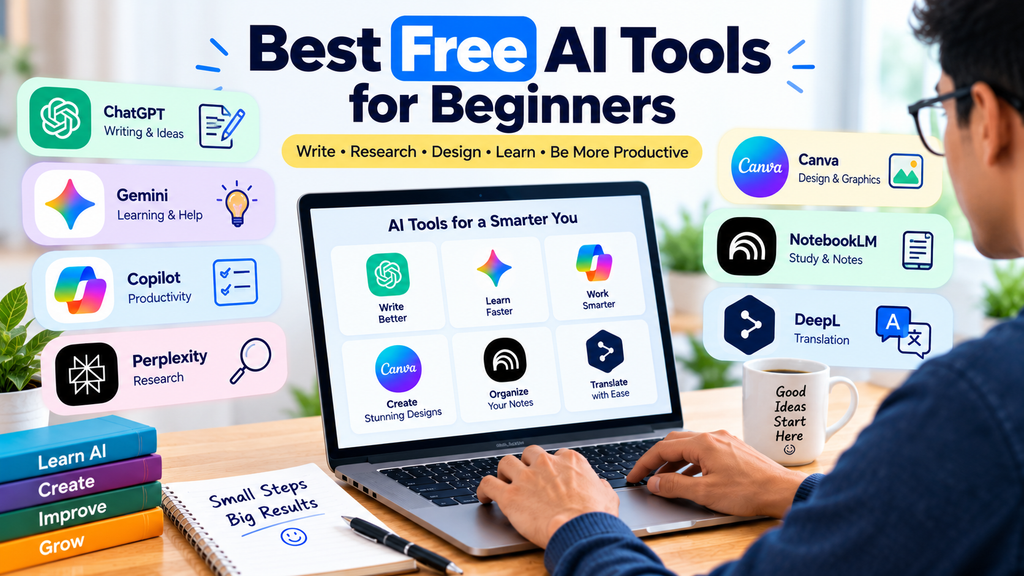
1. ChatGPT — For Writing and Everyday Questions
ChatGPT is an AI assistant that can help with writing, brainstorming, learning, planning, and many other everyday tasks.
What can beginners do with it?
- Draft emails and articles.
- Understand unfamiliar topics.
- Generate ideas for projects.
- Create study plans.
- Improve and rewrite text.
Example prompt:
“Explain artificial intelligence in simple English. Give me five everyday examples and finish with a short summary.”
ChatGPT offers free access with usage limits that can vary. Check the official website for current plan details.
Official website: https://chatgpt.com/
2. Google Gemini — For Learning and Everyday Assistance
Google Gemini is an AI assistant that can help users explore ideas, understand topics, write drafts, and work through questions.
What can beginners do with it?
- Ask questions about unfamiliar subjects.
- Brainstorm content ideas.
- Create outlines for articles.
- Improve written drafts.
- Explore ideas for personal projects.
Example prompt:
“Create a seven-day beginner plan for learning the basics of digital marketing. Include one practical task each day.”
Available features and usage limits depend on the current plan and region.
Official website: https://gemini.google.com/
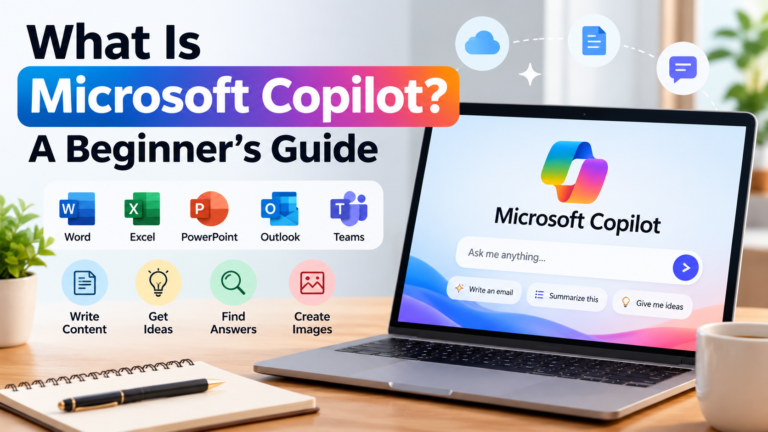
3. Microsoft Copilot — For Productivity and Research
Microsoft Copilot can assist with questions, writing, brainstorming, and other productivity tasks. Some capabilities depend on the version and Microsoft products you use.
What can beginners do with it?
- Draft professional messages.
- Summarize information.
- Generate ideas for presentations.
- Organize a list of tasks.
- Explore explanations of common topics.
Example prompt:
“Turn these notes into a professional email. Keep it polite, concise, and easy to understand.”
Check the official website for current access options and feature availability.
Official website: https://copilot.microsoft.com/
4. Perplexity — For Research and Finding Sources
Perplexity is an AI-powered search and answer service that can help users explore questions and discover sources.
It can be useful when you want to research a topic rather than simply generate a draft.
What can beginners do with it?
- Explore a new topic.
- Find sources related to a question.
- Research products or services.
- Discover further reading.
- Compare information from different sources.
Example prompt:
“Explain the main uses of AI in education. Provide reliable sources and distinguish established facts from opinions.”
Always open and review the original sources. Citations do not automatically guarantee that every claim is correct.
Official website: https://www.perplexity.ai/
5. Canva — For Graphic Design
Canva is a design platform that helps beginners create graphics, presentations, social media posts, and other visual content. It also offers AI-powered features, some of which may have usage limits or require a paid plan.
What can beginners create?
- Blog graphics.
- Social media posts.
- Presentation slides.
- Posters and simple banners.
- Visual materials for small businesses.
Example task:
Create a clean blog graphic with a clear headline, two complementary colors, and simple icons. Make sure the text is readable on mobile devices.
Review the licensing terms for any images, fonts, or other assets you use commercially.
Official website: https://www.canva.com/
6. NotebookLM — For Studying Your Own Sources
Google NotebookLM is an AI research and learning tool that helps users work with supplied sources, subject to supported formats and current usage limits.
What can beginners do with it?
- Organize research materials.
- Summarize supplied documents.
- Generate study notes.
- Ask questions about uploaded sources.
- Prepare revision questions.
Example task:
“Create beginner-friendly study notes from these documents. Organize the main ideas under headings and list the important terms I should review.”
Check important summaries against the original documents, especially when accuracy matters.
Official website: https://notebooklm.google.com/
7. DeepL — For Translation and Language Support
DeepL provides translation services and other language-related features. Supported languages, free usage limits, and available tools may vary.
What can beginners do with it?
- Translate text between supported languages.
- Understand content written in another language.
- Prepare an initial translation draft.
- Improve communication across languages.
Example task:
“Translate this short paragraph into natural English while preserving its original meaning and tone.”
Review translations carefully. Important legal, medical, or official documents may require a qualified human translator.
Official website: https://www.deepl.com/
How to Choose the Right AI Tool
You do not need to use every AI tool. Start with the task you want to complete.
| Your task |
|---|
| Writing and brainstorming |
|---|
| Everyday assistance |
|---|
| Productivity support |
|---|
| Research and source discovery |
|---|
| Graphics and presentations |
|---|
| Study notes from documents |
|---|
| Translation |
|---|
| Tool to explore |
|---|
| ChatGPT |
|---|
| Google Gemini |
|---|
| Microsoft Copilot |
|---|
| Perplexity |
|---|
| Canva |
|---|
| NotebookLM |
|---|
| DeepL |
|---|
This is a starting point, not a ranking. The best option depends on your requirements, preferred language, available features, and budget.

Are Free AI Tools Really Free?
Some AI tools provide free access, while others use a freemium model. This means basic features may be available at no cost, with additional features offered through paid plans.
Before relying on a free tool, check:
- Daily or monthly usage limits.
- Whether account registration is required.
- Which features are included.
- Whether exports or downloads have restrictions.
- Whether your intended commercial use is permitted.
Free-plan terms can change, so verify current information on the official website.
Tips for Using AI Tools Safely
AI tools can be useful, but you should use them thoughtfully.
Protect Your Privacy
Do not enter passwords, financial account details, private customer information, or confidential business documents unless you have verified that the service and settings are appropriate for that information.
Verify Important Information
AI-generated answers can contain errors or outdated details. Check important claims against trustworthy sources.
Review AI-Generated Content
Before publishing an article, image, or presentation, check its accuracy, originality, usefulness, and suitability for your audience.
Understand Commercial Rights
If you plan to monetize content, review the service’s terms and the licensing conditions for any generated or uploaded assets. Do not assume every output is automatically free of restrictions.
Frequently Asked Questions
Which AI tool is best for beginners?
The best choice depends on the task. ChatGPT and Gemini are useful starting points for general assistance, while Canva is worth exploring for design and Perplexity for research.
Can I use AI tools without paying?
Many services offer free access or free plans. However, features and usage limits vary, so check the current terms before getting started.
Can AI tools help with blogging?
Yes. They can help brainstorm topics, outline articles, explain concepts, and prepare drafts. You should still add your own judgment, verify facts, and edit the content to provide genuine value to readers.
Are AI-generated results always accurate?
No. AI tools can make mistakes, misunderstand instructions, or provide outdated information. Verify important information independently.
Should I use several AI tools together?
You can, if each tool serves a clear purpose. For example, you might use an AI assistant to brainstorm, a research tool to find sources, and a design platform to create a graphic. Review the results at every stage.
Conclusion
Free AI tools give beginners a practical way to explore artificial intelligence without immediately committing to a paid subscription.
Start with one tool that solves a real problem. Learn its features, test a few simple prompts, and review its results carefully. As your needs grow, you can explore additional tools for research, design, productivity, and learning.
The goal is not to use the largest number of AI tools. It is to choose the tools that genuinely help you work, learn, and create more effectively.
Explore more beginner-friendly AI tutorials and practical guides on AIToolsNv.