

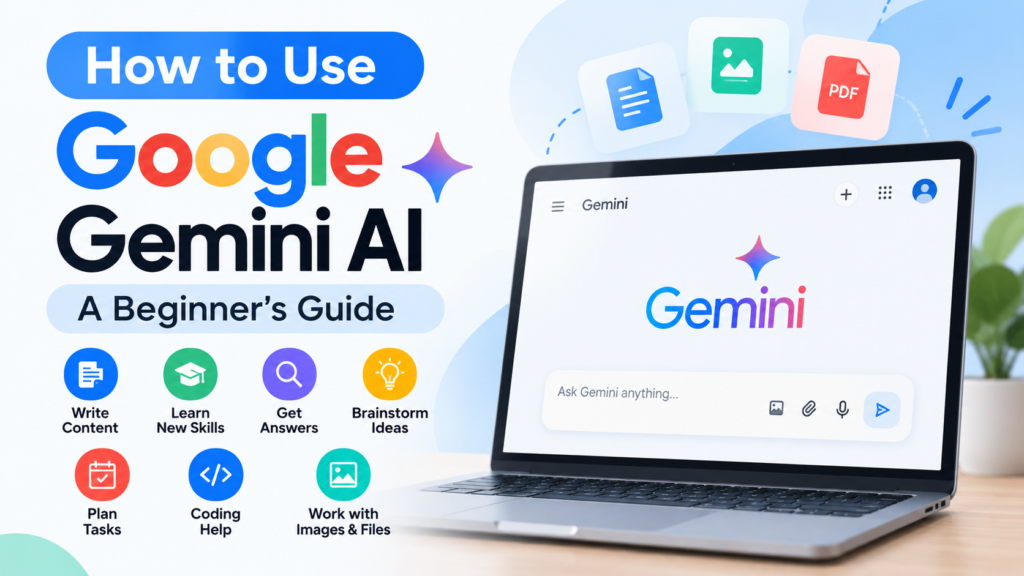
How to Use Google Gemini AI: A Beginner’s Guide
Artificial intelligence is changing the way people write, learn, research, and complete everyday tasks. One tool that is making AI more accessible is Google Gemini.
Whether you are a student, blogger, professional, or someone who is simply curious about AI, Gemini can help you explore ideas, understand difficult topics, draft content, and plan your work.
But if you are new to AI, you may have questions: What is Google Gemini? How do you use it? What kinds of tasks can it help with? And how can you get better answers?
In this beginner-friendly guide, you will learn how to use Google Gemini AI step by step, explore practical examples, and understand its limitations.
What Is Google Gemini AI?
Google Gemini is an AI assistant developed by Google. You can interact with it by typing questions or instructions and, where supported, by using voice or uploading files and images.
Gemini can help with many everyday activities, such as:
- Writing emails, articles, and summaries
- Explaining difficult subjects in simple language
- Brainstorming ideas for projects
- Creating study plans and learning materials
- Helping with coding questions
- Summarizing and analyzing supported files
- Generating and editing images with available features
Gemini is designed to understand different kinds of information, including text, images, audio, and more, depending on the model and features available to you.
It is important to remember that Gemini is an AI tool. Its responses can contain mistakes, so you should verify important information.
How to Access Google Gemini
You can use Gemini on a computer or a compatible mobile device.
On a Computer
Follow these simple steps:
- Open a web browser such as Google Chrome.
- Visit Google Gemini.
- Sign in with your Google Account if required.
- Read the instructions or terms shown on the screen.
- Start a new conversation by entering a question or prompt in the message box.
- Submit your prompt and review the response.
Some features may be available without signing in, while others require a Google Account. Availability can vary by country, account type, age, and feature.
On a Mobile Phone
You can access Gemini through a supported mobile browser or the official Gemini app, where available.
- Open the Google Play Store or Apple App Store.
- Search for the official Google Gemini app.
- Check that Google is listed as the developer.
- Install and open the app.
- Follow the on-screen instructions to get started.
The exact setup and available features may differ depending on your device and account.
How to Use Google Gemini AI Step by Step
Using Gemini is straightforward. The most important part is learning how to explain what you need.
Step 1: Start With a Clear Question
After opening Gemini, type a question or instruction into the message box.
For example:
“Explain artificial intelligence in simple English for a complete beginner.”
Gemini will generate a response based on your prompt.
Step 2: Give Gemini Enough Context
A short prompt can work for simple questions. For more specific tasks, provide useful details.
Instead of writing:
“Write an article about AI.”
Try:
“Create an outline for a beginner-friendly article about AI tools. Use simple English, include practical examples, and organize it with clear headings.”
The second prompt explains the topic, audience, and format.
Step 3: Review the Response
Read Gemini’s answer carefully. Check whether it follows your instructions and includes the information you need.
If something is unclear, ask a follow-up question.
For example:
“Explain the second point with a simple real-life example.”
You can continue the conversation to refine the result.
Step 4: Improve the Answer
You do not have to accept the first response as your final result.
You can ask Gemini to:
- Make the explanation shorter
- Use simpler language
- Add examples
- Organize information into a table
- Rewrite a paragraph in a different tone
- Create a checklist from the answer
Review the revised response before using it.
Practical Ways to Use Google Gemini
Here are some examples of how beginners can use Gemini in everyday life.
1. Writing and Content Creation
Gemini can help you brainstorm topics, create outlines, draft emails, and improve written content.
Example prompt:
“Suggest 10 beginner-friendly blog topics about artificial intelligence. Include a short explanation of each topic.”
For bloggers, Gemini can also help organize an article structure or suggest questions readers may have.
However, do not publish AI-generated content without reviewing it. Add your own experience, check facts, and make sure the final article is useful and original.
2. Learning and Studying
Students and independent learners can use Gemini to understand difficult concepts.
Example prompt:
“Explain machine learning in simple English. Use three everyday examples and finish with five practice questions.”
You can also ask Gemini to create revision notes, flashcards, quizzes, or a study schedule.
Use it as a learning assistant rather than a replacement for your own study and understanding.
3. Research and Understanding Topics
Gemini can help you explore unfamiliar subjects and organize information.
Example prompt:
“Explain the main differences between artificial intelligence, machine learning, and deep learning. Present the answer in a comparison table.”
For research that requires current or important facts, check the original sources. AI-generated summaries may leave out context or contain errors.
4. Planning Everyday Tasks
You can use Gemini to create simple plans and organize your routine.
Example prompt:
“Create a realistic seven-day study plan for a beginner who wants to learn the basics of AI. Include 30 minutes of study each day.”
You can adjust the plan by sharing your available time, current knowledge, and goals.
5. Coding and Technical Help
Beginners learning programming can ask Gemini to explain code, identify possible errors, or demonstrate basic concepts.
Example prompt:
“Explain what an HTML heading tag does. Show a small example and explain each line in simple language.”
Always test code before using it in a real project. Be especially careful when working with security, payments, user data, or production websites.
6. Working With Images and Files
Depending on your account and available features, Gemini may let you upload supported files or images for help.
For example, you could upload a document and ask:
“Summarize this document in five bullet points. Highlight the main ideas and any important dates.”
Or you could share an image and ask Gemini to describe what is visible.
Before uploading anything, consider whether it contains private, confidential, or sensitive information.
How to Write Better Prompts for Gemini
A prompt is the instruction or question you give an AI tool. Clear prompts generally make it easier to get useful responses.
Here are five practical tips.
1. Be Specific
Tell Gemini exactly what you want.
Less specific:
“Write about technology.”
More specific:
“Write a 500-word beginner-friendly explanation of how AI assistants can help students organize their study routines.”
2. Mention Your Audience
Tell Gemini who the response is for.
Example:
“Explain cloud computing to someone who has never used a cloud service. Avoid technical jargon.”
3. Request a Format
If you need a particular structure, say so.
Example:
“Compare three common AI writing tools in a table. Include their main uses, key limitations, and beginner tips.”
4. Add Relevant Context
Share important details about your task.
Example:
“I am preparing a short presentation for beginners. Create a five-slide outline about responsible AI use, with one main idea per slide.”
Do not include private information that is unnecessary for the task.
5. Refine the Result With Follow-Up Questions
You can improve a response through conversation.
For example:
- “Make this explanation easier to understand.”
- “Add two practical examples.”
- “Turn this answer into a checklist.”
- “What important limitations should I know about?”
Prompt writing is a skill. Experiment with different instructions and compare the results.
Is Google Gemini Free to Use?
Google offers access to Gemini at no cost in India, with usage limits and feature availability that may vary.
Google also offers paid AI plans that can provide higher usage limits and access to additional features. The exact benefits, prices, and availability can change.
Before choosing a paid plan, check Google’s official Gemini or Google AI plans page and compare the features with your actual needs.
Beginners can start with the free option and explore the tool before deciding whether they need more access.
Google Gemini vs. Traditional Google Search
Gemini and Google Search serve different purposes.
Google Search helps you find websites, pages, and other information from across the web. Gemini is an AI assistant that generates conversational responses and can help you organize or explain information.
For example:
- Use Google Search when you want to find original websites, official documents, or multiple sources.
- Use Gemini when you want an explanation, a draft, a list of ideas, or help organizing a task.
- Use both when researching an important topic: ask Gemini to help you understand the subject, then verify key facts with reliable sources.
Neither tool should be treated as automatically correct.
Limitations of Google Gemini
Gemini can be useful, but it is not perfect.
It Can Make Mistakes
Gemini may produce incorrect information or misunderstand a question. Verify important claims using reliable sources.
Features May Differ
Not every user has access to the same models, tools, or usage limits. Features can depend on location, account, subscription, and product updates.
It Does Not Replace Professional Advice
Do not rely on Gemini alone for medical, legal, financial, or other high-stakes decisions. Consult an appropriately qualified professional when needed.
Protect Your Privacy
Think carefully before sharing personal, confidential, or business-sensitive information. Review Google’s privacy information and your activity settings to understand how your data is handled.
AI Responses Need Human Review
A response may sound confident while still being incomplete or inaccurate. Review generated content before publishing, submitting, or acting on it.
Common Mistakes Beginners Should Avoid
If you are new to Gemini, avoid these common mistakes:
- Using vague prompts: Give clear instructions and enough context.
- Accepting every answer without checking: Verify facts, especially for important tasks.
- Expecting perfect results immediately: Refine your prompt and ask follow-up questions.
- Sharing sensitive information unnecessarily: Protect your personal and confidential data.
- Copying generated content without editing: Review and personalize the final result.
- Ignoring feature limits: Check which tools and usage limits are available to your account.
Learning these habits can make your experience more productive and responsible.
A Simple 7-Day Gemini Learning Plan
If you are a complete beginner, use this plan to practice a little each day.
| Day |
|---|
| Day 1 |
|---|
| Day 2 |
|---|
| Day 3 |
|---|
| Day 4 |
|---|
| Day 5 |
|---|
| Day 6 |
|---|
| Day 7 |
|---|
| Practice Task |
|---|
| Open Gemini and ask five simple questions |
| Ask Gemini to explain a topic you find difficult |
| Create an email or short piece of writing |
| Practice writing specific prompts |
| Ask Gemini to help organize a study or work plan |
| Explore supported image or file features, if available |
| Complete a small project and review the results |
You do not need to master every feature in one week. Focus on learning how to give clear instructions and check the answers you receive.
Frequently Asked Questions
What is Google Gemini used for?
Google Gemini is an AI assistant that can help with writing, learning, brainstorming, planning, coding questions, and other supported tasks. Its available features depend on your account and the product version.
Is Google Gemini free?
Google offers a free way to use Gemini in India, subject to usage limits. Paid plans may provide higher limits and additional features. Check Google’s official plans page for current details.
Can I use Google Gemini in Hindi?
Yes. You can write prompts in Hindi and ask Gemini to respond in Hindi. You can also ask it to explain difficult topics in simple Hindi or help translate between Hindi and English. Review important translations and answers for accuracy.
Do I need a Google Account to use Gemini?
Some access may be available without signing in, but additional features and saved activity may require a Google Account. Requirements can vary by location and account type.
Can Gemini write blog articles?
Gemini can help brainstorm article ideas, create outlines, and draft content. Before publishing, fact-check the article, add your own expertise, and edit it to make sure it meets your readers’ needs.
Is Google Gemini always accurate?
No. Gemini can make mistakes, omit important context, or provide outdated information. Verify important details with reliable sources.
Can Gemini understand images and documents?
Gemini supports certain image and file workflows, depending on the feature and account available to you. Check the current interface for supported file types and limits.
Final Thoughts
Google Gemini can be a helpful starting point for people who want to explore artificial intelligence. It can assist with writing, learning, planning, research, and many everyday tasks.
The best way to learn is to start with simple questions, provide clear instructions, and improve your prompts as you gain experience.
Remember that AI is a tool to support your work—not a substitute for your judgment. Check important information, protect your privacy, and use the results thoughtfully.
If you are just beginning your AI journey, try one small task with Gemini today and build your skills step by step.




One Comment