How to Choose the Right AI Tool: A Beginner’s Guide
Artificial intelligence (AI) tools can help you write content, research topics, create images, organize tasks, and save time. However, with so many tools available, choosing the right one can feel confusing, especially if you are just getting started.
The good news is that you do not need to try every AI tool. You can make a better choice by understanding your goals, comparing important features, and testing a few options before committing to a paid plan.
In this beginner-friendly guide, you will learn how to choose an AI tool based on your needs, budget, experience, and privacy requirements.
1. Start by Identifying Your Main Goal
Before searching for an AI tool, decide what you want it to help you accomplish.
Different tools are designed for different tasks. A tool that works well for writing may not be the best option for generating images or analyzing documents.
Here are some common goals and the types of tools to consider:
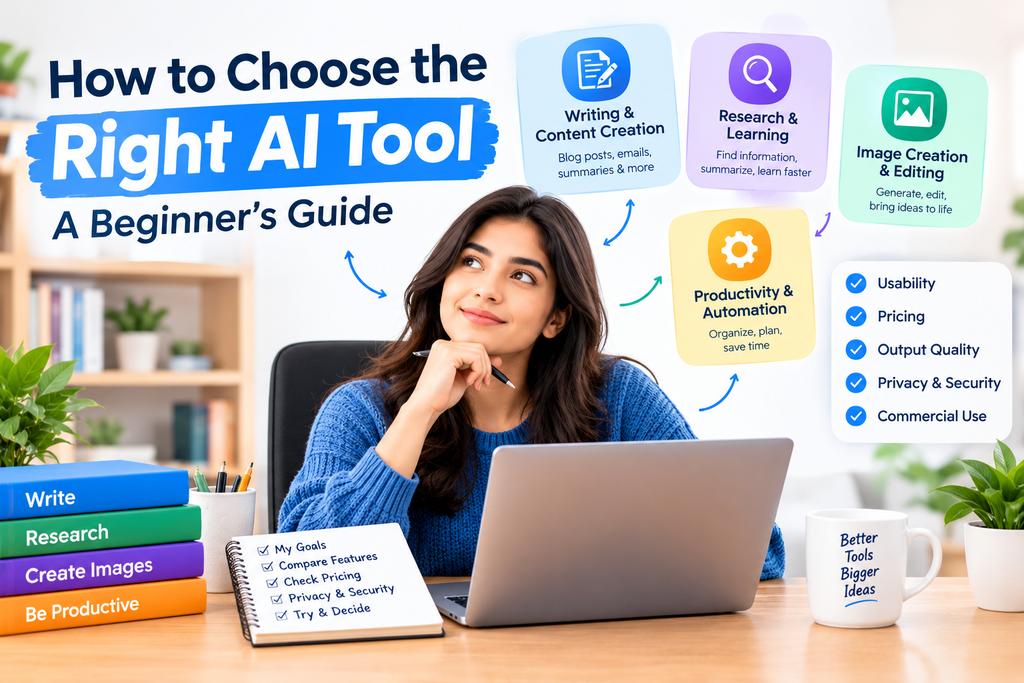
- Writing and content creation: Tools that help draft articles, improve grammar, summarize text, and generate ideas.
- Research and learning: Tools that explain concepts, summarize documents, and help organize information.
- Image creation and editing: Tools that generate images from text prompts or edit existing pictures.
- Productivity: Tools that help with planning, note-taking, meeting summaries, and everyday tasks.
- Automation: Tools that connect apps and automate repetitive workflows.
Start with one clear goal. You can explore additional categories as your needs grow.
2. Understand the Different Types of AI Tools
AI tools can be grouped into several broad categories.
AI Chatbots
AI chatbots can answer questions, explain concepts, help with writing, and assist with brainstorming. They are often a useful starting point for beginners.
Examples include ChatGPT, Google Gemini, and Claude. Their features, usage limits, and availability may differ.
AI Research Tools
Research-focused tools can help you explore topics, summarize information, and find relevant sources. Some tools can also work with documents you provide.
For example, Google NotebookLM is designed to help users work with their supplied sources and generate source-grounded summaries and study materials.
AI Image Generators
Image generation tools create images based on text descriptions. They can be useful for blog illustrations, creative projects, and visual concepts.
Before choosing one, check its image quality, editing options, usage limits, and commercial-use terms.
AI Productivity and Automation Tools
These tools help reduce repetitive work. Depending on the product, they may organize information, connect applications, or automate specific steps in a workflow.
Choose the category that matches your actual task rather than selecting a tool simply because it is popular.
3. Check Whether the Tool Is Easy to Use
A powerful tool is not necessarily the best tool for every beginner.
Look for a clear interface, helpful instructions, straightforward settings, and examples that show you how to get started.
Before paying for a subscription, try a simple task. For example, ask a chatbot to explain a topic in plain English or use a research tool to summarize a short document.
If you can complete your task without unnecessary difficulty, the tool may be a good fit.
4. Compare Free and Paid Plans
Many AI tools offer free access, paid subscriptions, or a combination of both. The available features and limits can change over time.
A free plan may be sufficient if you only need occasional help. A paid plan may be worth considering if you regularly need higher usage limits, advanced features, or a more suitable workflow.
Before upgrading, check:
- Monthly or annual subscription costs.
- Daily or monthly usage limits.
- Access to advanced models or features.
- File upload, image generation, or export limits.
- Cancellation terms and renewal pricing.
Do not pay for a feature until you know you need it. Test the free option first whenever possible.
5. Evaluate Output Quality
AI tools can produce inaccurate information, incomplete answers, or content that needs editing. The quality of their output can also vary depending on the task.
Try the same realistic task with two or three tools and compare their results.
For a writing tool, check whether the content is clear, relevant, and easy to edit. For a research tool, verify important claims against reliable sources. For an image tool, check whether the result matches your prompt.
Choose the tool that helps you achieve your goal with the least unnecessary correction—not simply the one that produces the longest answer.
6. Check Privacy and Data Security
Privacy matters when using AI tools for personal or professional work.
Before uploading information, review the tool’s privacy policy and data settings. Understand how your inputs may be stored or used, and whether you can control data retention or training preferences.
Avoid entering passwords, payment details, confidential business information, private customer records, or other sensitive information unless you have confirmed that the tool and your account settings are appropriate for that use.
For work involving confidential information, follow your organization’s policies and use approved tools.
7. Review Commercial-Use Rights
If you plan to publish AI-generated text or images on a website, use them in client projects, or include them in products, review the tool’s current terms.
Check whether the plan permits your intended use, whether attribution is required, and whether any restrictions apply to generated content.
Also remember that permission to use an AI-generated image does not automatically mean it is free of copyright, trademark, or other legal concerns. Review the output before publishing it.
For website content, focus on usefulness, accuracy, originality, and the value you provide to readers. AI assistance alone does not guarantee search visibility or monetization approval.
8. Test the Tool With a Real Task
A practical test is often more useful than reading a long list of features.
Use this simple process:
- Select a task you regularly perform.
- Write down what a good result should look like.
- Test the free version, if available.
- Review the quality and time saved.
- Compare the result with one alternative.
- Decide whether the tool is worth using regularly.
For example, if you manage a blog, you could test whether a tool helps organize article ideas, explain a difficult topic, or improve a draft. Always fact-check the final content before publishing.
9. Avoid Choosing Too Many AI Tools at Once
Trying many tools at the same time can waste time and make it harder to learn a consistent workflow.
Begin with one general-purpose assistant and add another specialized tool only when you have a clear need.
For instance, you might use a chatbot for brainstorming and a separate research tool for working with documents. Later, you could explore image creation or automation if these features support your goals.
A small set of tools that you understand well is often more useful than a large collection that you rarely use.
10. A Simple Checklist for Choosing an AI Tool
Before making your final decision, ask yourself these questions:
- Does the tool solve a problem I actually have?
- Is it easy enough for me to use?
- Are the free plan and paid plan limits clear?
- Is the output accurate and useful for my task?
- Does the privacy policy meet my requirements?
- Are my intended commercial uses permitted?
- Does it save enough time or effort to justify the cost?
If a tool meets your main requirements, test it for a few days before deciding whether to make it part of your regular workflow.
Frequently Asked Questions
Which AI tool is best for beginners?
There is no single best AI tool for everyone. The right choice depends on your goal, budget, preferred features, and experience. A general-purpose AI assistant can be a convenient starting point for many beginners.
Should I use free or paid AI tools?
Start with a free plan when it offers the features you need. Consider a paid plan only when you regularly reach usage limits or require specific features that justify the expense.
Can I use AI tools for my blog?
Yes, AI tools can assist with brainstorming, outlining, research, and editing. However, you should review factual claims, add useful insights, respect copyright and usage terms, and make sure the final article genuinely helps readers.
Are AI-generated results always accurate?
No. AI tools can make mistakes, omit important details, or provide outdated information. Verify important claims using reliable sources, especially for technical, financial, legal, or health-related topics.
Is it safe to upload documents to AI tools?
It depends on the tool, its privacy practices, and the type of information in the document. Review its privacy policy and avoid uploading sensitive or confidential information unless you have confirmed that the tool is suitable for that purpose.
Final Thoughts
Choosing the right AI tool starts with understanding what you want to accomplish. Compare tools based on usefulness, ease of use, output quality, pricing, privacy, and permitted usage rights.
You do not need to adopt every new AI product. Start with one tool, test it on a real task, and expand your toolkit only when you have a clear reason to do so.
As you gain experience, you will become better at identifying which tools genuinely improve your work and which ones are unnecessary.
Next step: Explore our other AI Guides to learn how AI tools work and how to use them more effectively in everyday tasks.