How to Create a Resume with AI (Step-by-Step Guide)
Creating a professional resume can be challenging, especially if you are a fresher, changing careers, or applying for a new job. You may have the right skills and experience but struggle to explain them clearly on paper.
Artificial intelligence (AI) tools can make this process easier. They can help you organize your information, improve your wording, highlight relevant skills, and create a resume structure that is easy for employers to read.
You do not need to be an expert writer to get started. With a clear prompt and accurate information about your background, you can use AI tools such as ChatGPT, Google Gemini, or Microsoft Copilot to prepare a professional-looking resume.
In this guide, you will learn how to use AI to create a resume step by step, which prompts to try, how to customize your resume for a specific job, and how to check the final document before applying.
What Is an AI Resume Generator?
An AI resume generator is a tool that uses artificial intelligence to help people write, organize, or improve their resumes. Some tools generate a resume from information you provide, while others help you rewrite bullet points, summarize your experience, or match your skills to a job description.
You can use a general-purpose AI assistant, such as ChatGPT or Google Gemini, or a dedicated resume-building platform.
For example, you could tell an AI tool:
“Help me create a resume for an entry-level digital marketing position. I have completed a digital marketing course and have experience managing my own social media page. Ask me questions about my skills before writing the resume.”
The AI can help you organize your answers into sections such as a professional summary, skills, education, projects, and work experience.
However, AI does not automatically know your actual qualifications. You must provide accurate details and check the result before using it.
Benefits of Using AI to Create a Resume
AI can help with several parts of the resume-writing process.
1. Save Time on Writing
Writing a resume from scratch can take time. AI can create an initial draft based on your education, experience, skills, and career goals. You can then edit the draft instead of starting with a blank page.
2. Improve Your Resume Language
AI can help make sentences clearer, more concise, and more professional.
For example, you might write:
“I helped customers and answered their questions.”
AI could improve this to:
“Assisted customers by answering questions and providing information about products and services.”
Use the improved version only if it accurately describes what you did.
3. Highlight Relevant Skills
AI can help identify which of your genuine skills are relevant to a particular position. For example, a customer service role may require communication, problem-solving, and customer support skills.
The tool can help you present relevant experience clearly, but it should not add skills you do not have.
4. Create a Resume for Different Jobs
You may apply for several types of positions. AI can help you adjust your professional summary and reorder relevant skills for each job.
You should still verify every detail and avoid making your work history look different from what actually happened.
5. Help Freshers Create Their First Resume
People without formal work experience can use AI to organize education, internships, coursework, volunteer activities, certifications, and personal projects.
A fresher’s resume can be effective without inventing employment history or exaggerating achievements.
Which AI Tools Can Help You Create a Resume?
Several AI assistants can help you write and improve a resume. The best choice depends on your needs, available features, and budget.
ChatGPT
ChatGPT can help you create a resume outline, improve bullet points, write a professional summary, and tailor your resume to a job description. You can also ask it to explain why a particular section needs improvement.
Google Gemini
Google Gemini can help brainstorm resume content, organize your experience, rewrite sentences, and suggest ways to present your skills. Availability and integration with other services may depend on your account and region.
Microsoft Copilot
Microsoft Copilot can help with writing, editing, and organizing resume content. If you use Microsoft Word, check which Copilot features are available in your version and subscription.
Dedicated Resume Builders
Resume-building websites may provide templates, formatting tools, and AI writing assistance. Some offer free features, while others require payment for downloads, premium templates, or advanced features.
Before paying for any service, check its current pricing, download restrictions, privacy policy, and cancellation terms.
For beginners, a general AI assistant and a simple document editor may be enough to create a clear resume.
How to Create a Resume with AI Step by Step
Follow these steps to create your first AI-assisted resume.
Step 1: Collect Your Personal and Career Information
Before opening an AI tool, collect the information you want to include.
Prepare the following details:
- Full name and professional contact information
- City or general location, if relevant
- Target job title
- Education and qualifications
- Work experience, internships, or volunteer work
- Relevant skills
- Certifications and training
- Projects or achievements
- Languages you can use professionally
- A job description, if you are applying for a specific position
You do not need to share sensitive personal information with an AI tool. Avoid entering identity numbers, bank details, passwords, or other unnecessary private information.
Step 2: Choose an AI Tool
Open ChatGPT, Google Gemini, or another AI assistant you trust.
You can start with a simple request, but providing more relevant information usually produces a more useful result.
For example:
“Help me create a professional resume for an entry-level office assistant position. I will provide my education, skills, and experience. Ask me questions if any important information is missing. Do not invent qualifications, employment history, or achievements.”
This tells the AI what you need and sets clear expectations for accuracy.
Step 3: Ask AI to Create a Resume Outline
Before asking for a complete resume, request an outline that suits your experience level.
Try this prompt:
“Create a simple, professional resume outline for a [job title]. I am a [fresher/experienced professional/career changer]. Recommend the most relevant sections and explain what information belongs in each section. Keep the format easy to read.”
Review the outline before moving to the next step.
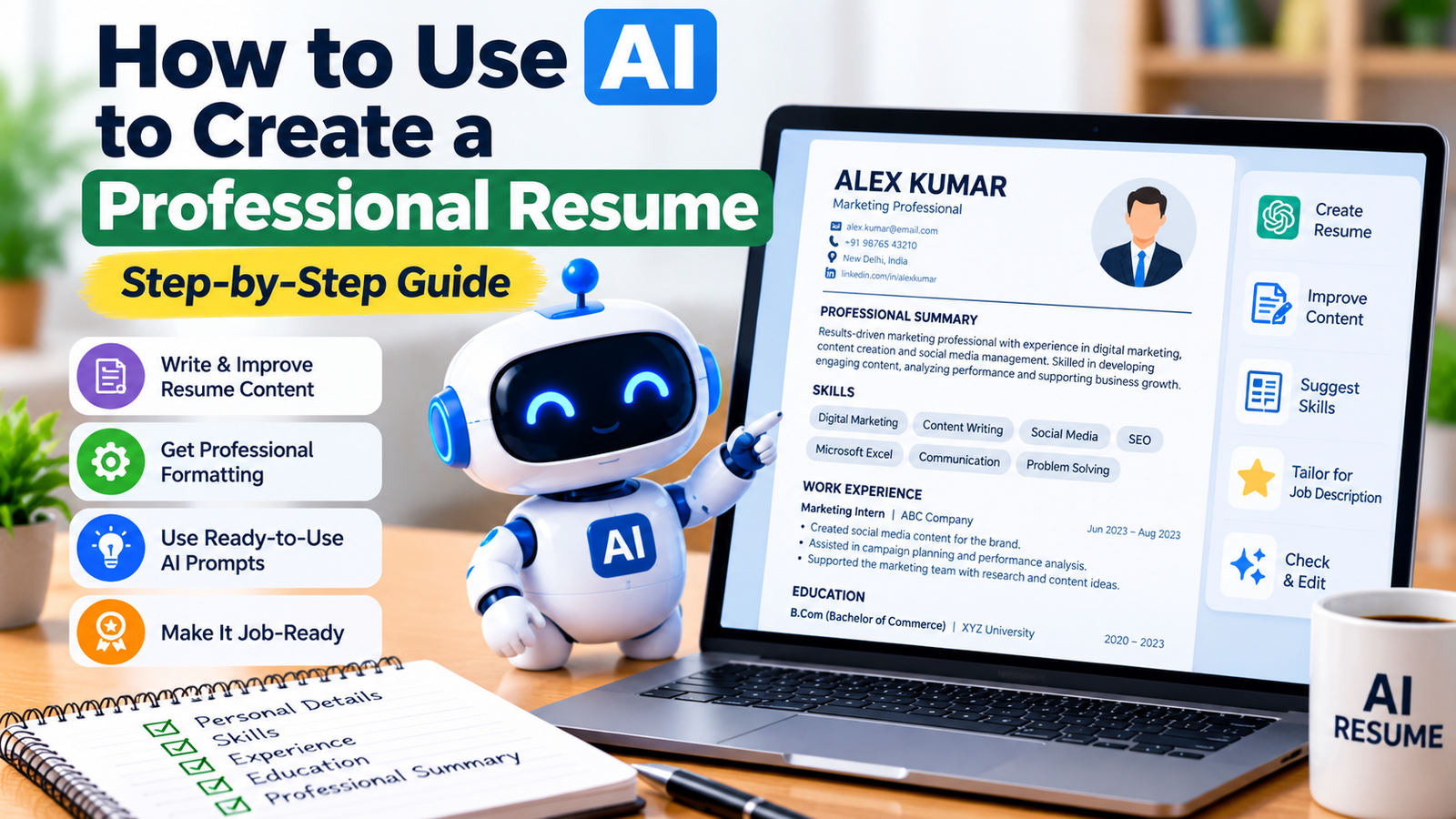
A typical resume may include:
- Contact information
- Professional summary or objective
- Key skills
- Work experience or projects
- Education
- Certifications, if relevant
You do not need every section. Choose the sections that best demonstrate your suitability for the job.
Step 4: Write a Professional Summary with AI
A professional summary is a short introduction near the top of your resume. It highlights your background, relevant strengths, and career direction.
For example, a fresher might use this prompt:
“Write three professional summary options for an entry-level customer service role. My background is [education or training], and my genuine skills include [list your skills]. Keep each summary to two or three sentences. Do not claim work experience or achievements that I have not provided.”
Compare the options and choose the one that best represents you.
Avoid generic statements that could describe almost anyone. Whenever possible, include relevant skills, practical experience, or a clear career focus.
Step 5: Turn Your Experience into Strong Bullet Points
A resume should explain what you did, which skills you used, and what results you achieved when those results can be supported.
Suppose your original bullet point is:
“Worked on customer calls.”
You could ask AI to improve it:
“Rewrite this resume bullet point to make it clearer and more professional. My actual responsibility was answering customer calls and directing questions to the appropriate team. Do not add numbers, achievements, or responsibilities that I have not provided.”
A suitable result might be:
“Handled customer calls and directed inquiries to the appropriate team for assistance.”
If you have real results, you can include them. For example, if you have verified records showing the number of customers you assisted, those figures may strengthen your resume.
Never ask AI to invent percentages, sales figures, awards, or performance improvements.
Step 6: Add Relevant Skills
Read the job description and identify the skills the employer requests. Then compare them with your actual abilities.
You can use this prompt:
“Compare my skills with the job description below. Create two lists: skills I already have that match the role, and skills mentioned in the job description that I have not demonstrated. Suggest where I should place my existing relevant skills in the resume. Do not present missing skills as my abilities.”
This approach helps you focus your resume without misrepresenting your qualifications.
For technical positions, include specific tools, software, programming languages, or methods only if you can honestly describe your experience with them.
Step 7: Customize the Resume for a Specific Job
A general resume can be a useful starting point, but it may not communicate your suitability for every role.
Read the job description carefully. Identify the main responsibilities and qualifications, then ask AI to help you tailor your resume.
Use this prompt:
“I am applying for the job described below. Review my existing resume and the job description. Suggest changes to the order of my skills, professional summary, and experience bullet points so that my relevant qualifications are easier to see. Use only information already supported by my resume. Do not add missing qualifications or copy the job description word for word.”
Review each recommendation before accepting it.
The goal is to make relevant experience easier to recognize, not to create a resume that claims you meet requirements you do not have.
Step 8: Format the Resume in a Document Editor
Once the content is ready, move it into a document editor such as Microsoft Word or Google Docs.
For a straightforward professional resume:
- Use clear section headings.
- Choose a readable font and consistent font sizes.
- Keep spacing and alignment consistent.
- Use bullet points for experience and achievements.
- Avoid unnecessary graphics, decorative icons, and complex layouts.
- Check that dates, job titles, and company names are consistent.
- Use a professional file name, such as
FirstName_LastName_Resume.pdf.
For many online applications, a simple, single-column layout is a sensible choice because it is easier for both people and many applicant tracking systems (ATS) to read. However, no format can guarantee that every ATS will parse a resume correctly.
Follow the employer’s instructions about file type. If PDF is accepted, check the exported PDF to make sure the text remains readable and selectable.
Step 9: Ask AI to Review the Resume
Before applying, ask AI to review your completed resume for clarity, relevance, grammar, and consistency.
Try this prompt:
“Review my resume for grammar, spelling, clarity, repetition, and formatting consistency. Identify vague statements and suggest specific improvements. Do not invent qualifications, experience, dates, or achievements. Show the suggested changes separately so I can approve them.”
You should review the suggestions rather than accepting every change automatically.
AI may misunderstand your experience or recommend wording that sounds impressive but is inaccurate. You are responsible for the final version.
Step 10: Proofread and Submit Your Resume
Complete a final manual review before sending your application.
Check that:
- Your contact information is correct.
- Your education and employment dates are accurate.
- Your skills match your actual abilities.
- Your professional summary is relevant to the position.
- There are no spelling or grammar errors.
- The document opens correctly on another device.
- The file type matches the employer’s instructions.
- Your resume does not contain private notes, AI instructions, or placeholder text.
If the employer requests a cover letter or other documents, prepare and review those separately.

Best AI Prompts for Writing a Resume
The quality of the result depends partly on how clearly you describe the task. These prompts can help you with different stages of resume writing.
Prompt 1: Create a Resume for a Fresher
“Help me create a resume for a fresher applying for [job title]. My education is [education], my relevant skills are [skills], and my projects or training include [details]. Ask me questions if needed. Use a professional tone and do not invent work experience or qualifications.”
Prompt 2: Improve Existing Resume Bullet Points
“Rewrite the following resume bullet points to make them clearer, concise, and professional. Preserve the original meaning. Do not add responsibilities, numbers, or achievements that are not supported by the text. Explain any major changes.”
Prompt 3: Tailor a Resume to a Job Description
“Compare my resume with this job description. Identify my strongest relevant qualifications, recommend improvements to the order of my content, and highlight gaps I should address honestly. Do not claim that I have skills or experience that I do not possess.”
Prompt 4: Write a Professional Summary
“Write three concise professional summaries for a [job title] using my actual background: [background]. Focus on relevant strengths and career goals. Avoid clichés, exaggerated claims, and unsupported achievements.”
Prompt 5: Check Resume Grammar and Clarity
“Proofread my resume for grammar, spelling, readability, repetition, and inconsistent dates or formatting. List each suggested change with a short explanation. Do not change factual details without asking me.”
Prompt 6: Make a Resume More ATS-Friendly
“Review my resume for readability and compatibility with common applicant tracking systems. Identify complex formatting, unclear headings, tables, or graphics that may cause parsing problems. Suggest a simple structure, but do not promise that the resume will pass every ATS.”
Before sharing a resume or job description with an AI service, remove personal details that are not necessary for the task.
How to Create a Resume with AI If You Have No Work Experience
You do not need a full-time job history to prepare a useful first resume.
If you are a student or fresher, focus on evidence of your abilities.
Include Education and Relevant Coursework
Mention your degree, school or college, graduation year, and relevant coursework where appropriate. Include grades only if they are useful or requested.
Highlight Projects
A college project, personal website, research assignment, or practical exercise may demonstrate relevant skills.
Explain what the project involved, what you contributed, and which tools you used. Do not describe a group achievement as your individual work.
Include Internships and Volunteer Activities
Internships, volunteer work, and genuine extracurricular responsibilities can demonstrate communication, organization, teamwork, and problem-solving skills.
Describe the responsibilities you actually performed.
List Relevant Certifications
Include relevant courses or certifications that you have completed. If a course is still in progress, label it accurately rather than presenting it as completed.
You can ask AI to organize these details into a resume that emphasizes your potential without pretending you have professional experience.
Common Mistakes to Avoid When Using AI for a Resume
AI can help you write more efficiently, but careless use can harm your application.
1. Adding False Experience
Never allow AI to invent a previous employer, job title, degree, certification, or achievement. Employers may ask you to verify the information.
2. Using the Same Resume for Every Job
A generic resume may fail to highlight the qualifications most relevant to a position. Adapt your content for each role while keeping all facts accurate.
3. Including Too Many Keywords
Relevant terminology can help employers understand your skills, but stuffing a resume with repeated keywords makes it difficult to read. Use job-related terms naturally and only when they describe your experience.
4. Choosing Complicated Formatting
A visually impressive template may be difficult for some recruitment systems to process. Prioritize clear headings, readable text, and a logical structure.
5. Trusting AI Without Checking the Result
AI can produce inaccurate statements, awkward phrasing, or misleading claims. Review every sentence and correct anything that does not reflect your background.
6. Sharing Unnecessary Personal Information
Do not upload sensitive information to an AI service unless it is necessary and you understand how the service handles it. For drafting, you can often replace your name, phone number, address, and employer details with placeholders.
7. Paying Before Checking the Terms
Some resume services advertise free tools but charge for downloads or premium features. Check the pricing and terms before entering payment information.
Can AI Guarantee That Your Resume Will Get a Job?
No. AI cannot guarantee an interview, a job offer, or success with an applicant tracking system.
Hiring decisions depend on many factors, including your qualifications, relevant experience, the employer’s requirements, competition, and the interview process.
AI can help you communicate your background more clearly and prepare a better-organized resume. It cannot replace genuine skills, relevant experience, or careful preparation.
Use AI as a writing and review assistant rather than as a substitute for your own judgment.
Frequently Asked Questions
Is it free to create a resume with AI?
You can often create a resume using free features of general AI assistants and document editors. Some dedicated resume builders charge for premium templates, advanced features, or downloads. Check the current terms of the service you choose.
Which AI tool is best for creating a resume?
ChatGPT, Google Gemini, and Microsoft Copilot can all assist with resume writing. The best option depends on your needs, available features, and preferred workflow. Review the final resume carefully regardless of which tool you use.
Can I use ChatGPT to create a resume as a fresher?
Yes. You can provide your education, skills, coursework, projects, internships, and certifications. ChatGPT can help organize that information into a professional resume without requiring formal work experience.
Can AI make my resume ATS-friendly?
AI can suggest clearer headings, simpler formatting, and relevant terminology. However, applicant tracking systems differ, so no AI tool can guarantee that every system will read or rank your resume correctly.
Should I mention that I used AI to write my resume?
There is no universal rule. Follow any instructions provided by the employer. You should ensure that the final resume accurately represents your own qualifications and work, regardless of how you prepared the wording.
Is it safe to upload my resume to an AI tool?
It depends on the service’s privacy and data-handling practices. Review the service’s policy and avoid sharing sensitive information that is not needed. You can use placeholders while drafting and add your contact details later in your own document.
Can AI write a cover letter too?
Yes. AI can help draft a cover letter based on a job description and your genuine qualifications. Review it carefully, personalize it for the employer, and remove unsupported claims before submitting it.
Conclusion
AI can make resume writing easier by helping you organize your experience, improve your wording, identify relevant skills, and prepare a clear first draft.
To get the best results, begin with accurate information, use specific prompts, tailor your resume to the job, and review every suggestion before accepting it. Keep the formatting simple and never allow AI to invent qualifications or achievements.
Whether you are a fresher, an experienced professional, or someone changing careers, AI can be a useful assistant in preparing a professional resume.
Start with your real skills and experience, use AI to communicate them clearly, and make sure the final resume represents you honestly.