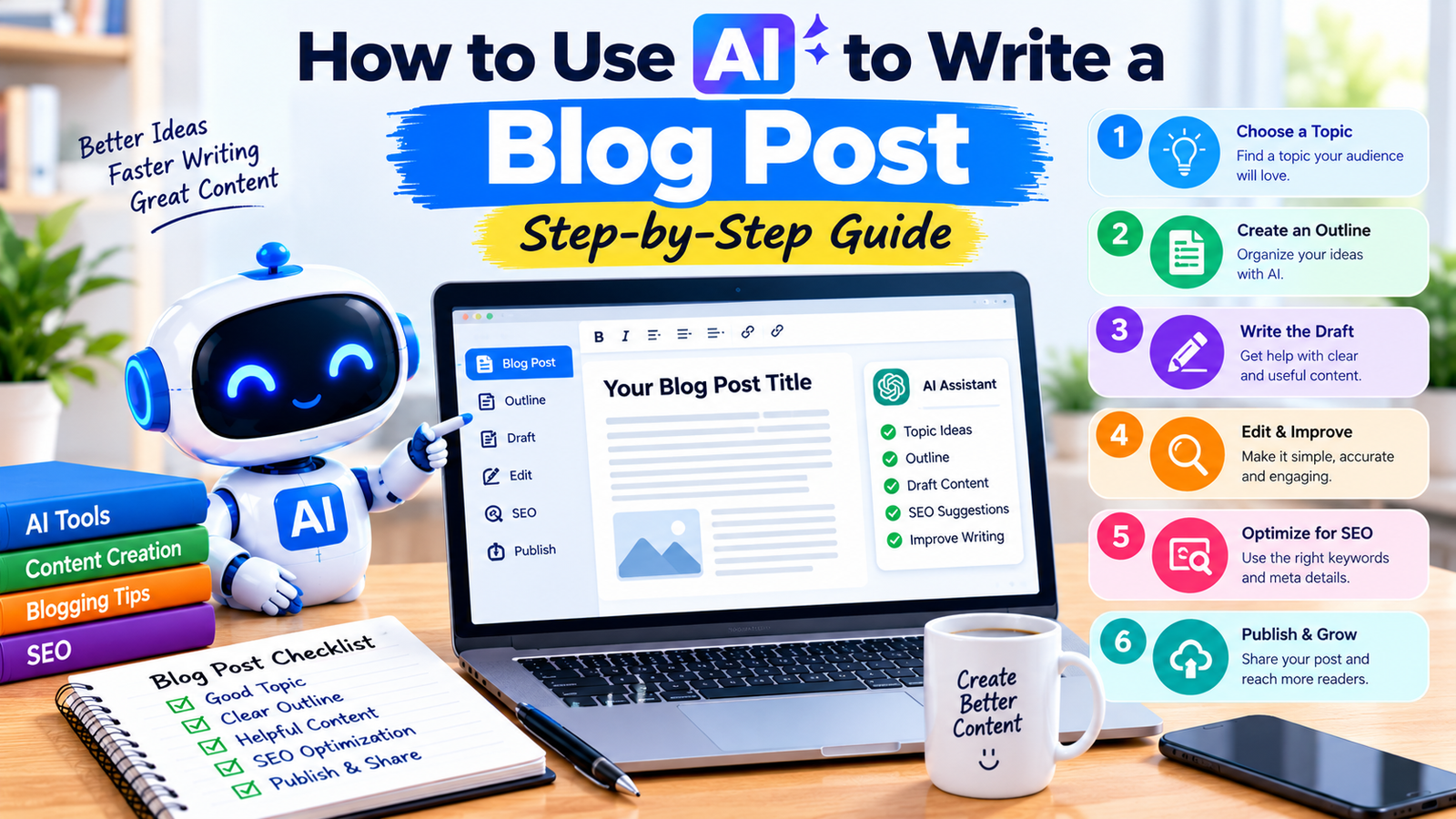
How to Use AI to Write a Blog Post (Step-by-Step)
Introduction
Writing a blog post involves more than putting words on a page. You need to choose a useful topic, understand your audience, research reliable information, organize your ideas, and edit the final draft before publishing.
Artificial intelligence can help make this process easier. AI tools can suggest topics, create outlines, improve sentences, and help you organize your research. However, the quality of the final article still depends on your judgment, original insights, and fact-checking.
If you run a website or want to start blogging, learning how to use AI effectively can save time and help you build a more organized writing process.
In this guide, you will learn how to use AI to write a blog post step by step, discover practical prompts, and understand how to create helpful content without relying entirely on AI-generated text.
1. What Does It Mean to Use AI for Blog Writing?
Using AI for blog writing means using artificial intelligence tools to assist with different stages of creating an article.
Depending on the tool, you can use AI to:
- Brainstorm blog topics.
- Understand your target audience.
- Create article outlines.
- Organize research and notes.
- Draft or improve paragraphs.
- Suggest headings and titles.
- Identify questions readers may ask.
- Review grammar and readability.
- Prepare meta descriptions and other SEO elements.
For example, if you want to write an article about free AI tools for students, you can ask an AI assistant to suggest an outline, list questions worth researching, and explain the topic in simple language.
You should still verify product details, add useful examples, and write or revise the article to reflect your own understanding.
The goal is to use AI as a writing assistant, not to publish unreviewed AI output.
2. Choose a Useful Blog Topic
The first step is selecting a topic that answers a real question or solves a problem for your readers.
A broad topic such as “Artificial Intelligence” may be difficult to cover in one article. A more focused topic, such as “How to Use AI to Create a Presentation,” gives you a clearer direction.
You can use AI to brainstorm ideas related to your website’s subject.
Example Prompt
“Suggest 15 beginner-friendly blog post ideas about AI tools. Focus on practical tutorials that help students, bloggers, and small business owners solve everyday problems. Avoid repeating these existing topics: [insert your published article topics].”
Review the suggestions and choose a topic that fits your audience and website.
Before writing, check whether people are searching for the topic, what existing articles cover, and whether you can offer something useful that is missing from those articles.
AI-generated topic ideas do not automatically have search demand. Use keyword research and search results to evaluate potential topics.
3. Understand Your Target Audience
A useful article speaks directly to the people who need it.
For example, a beginner may need step-by-step instructions, while an experienced professional may prefer advanced techniques and detailed comparisons.
Before drafting your article, decide:
- Who will read it?
- What problem are they trying to solve?
- What do they already know?
- What should they be able to do after reading?
- What questions might they still have?
Example Prompt
“My target audience is beginners who want to learn AI tools. For the topic ‘How to Use AI to Write a Blog Post,’ identify the main problems readers face, the questions they may ask, and the practical information they need.”
Use the response as a planning aid. Make sure the final article answers real reader needs rather than simply including every suggestion.
4. Create a Blog Post Outline With AI
An outline organizes your article before you start writing. It helps you cover the important points in a logical order.
For a beginner-friendly tutorial, an outline might include:
- Introduction
- What AI blog writing means
- Choosing a topic
- Understanding the audience
- Creating an outline
- Researching and verifying information
- Drafting the article
- Editing and improving readability
- Optimizing for SEO
- Publishing and updating the article
- Frequently asked questions
- Conclusion
Example Prompt
“Create a detailed outline for a beginner-friendly blog post titled ‘How to Use AI to Write a Blog Post.’ Use clear H2 and H3 headings, explain the purpose of each section, and include practical examples. Avoid unnecessary repetition.”
Review the outline before moving forward. Remove sections that do not add value and add any important information that is missing.
5. Research the Topic and Verify Information
Research is an essential part of blog writing, especially when your article discusses AI tools, software features, prices, or current developments.
AI tools can help summarize information and suggest research questions. Some can also search the web, depending on their available features.
However, AI responses may contain outdated information, unsupported claims, or incorrect details.
Use these practices:
- Check official product documentation for features and limitations.
- Verify current prices and subscription terms on official websites.
- Use reliable sources for factual claims.
- Check publication dates when information can change.
- Open cited sources and confirm that they support the claims.
- Keep track of the sources you use.
Example Prompt
“Help me research the topic ‘How to Use AI to Write a Blog Post.’ List the main questions I should investigate, identify claims that require verification, and suggest suitable types of reliable sources. Do not invent citations or facts.”
For articles about specific tools, add original testing or practical examples whenever possible. Do not claim that you tested a tool if you have not actually used it.
6. Write the First Draft With AI
After preparing the outline and research notes, you can use AI to help draft individual sections.
Writing one section at a time often makes it easier to review the result and correct problems than asking an AI tool to generate an entire long article in one response.
Example Prompt
“Write the introduction for a beginner-friendly article titled ‘How to Use AI to Write a Blog Post.’ Use simple English, explain the reader’s problem, describe what the guide will teach, and avoid exaggerated claims. Keep the introduction concise.”
You can then repeat the process for each heading.
For example, you might ask AI to explain how to create an outline, suggest an editing checklist, or provide a sample prompt for researching a topic.
Improve the Draft With Your Own Input
Before accepting a section, ask yourself:
- Is the information accurate?
- Does it answer the heading?
- Is it clear to a beginner?
- Does it repeat something already explained?
- Can I add an original example or useful detail?
- Does it need a reliable source?
Your expertise, experience, and editorial judgment help turn a generic draft into a useful article.
7. Improve the Article’s Readability
A blog post should be easy to read on both desktop and mobile devices.
AI can help simplify complicated sentences, remove repetition, and improve paragraph structure.
Try these techniques:
- Use clear headings.
- Keep paragraphs reasonably short.
- Explain technical terms when they first appear.
- Use bullet points for related items.
- Include practical examples.
- Remove unnecessary introductions and repeated conclusions.
- Keep the writing natural rather than stuffing it with keywords.
Example Prompt
“Edit the following paragraph for clarity and readability. Use simple English, preserve the original meaning, remove repetition, and do not add unsupported facts.”
Always compare the revised version with your original text to make sure the meaning has not changed.
8. Use AI to Improve Blog SEO
Search engine optimization helps search engines understand your page and helps readers recognize what the article offers.
AI can assist with SEO planning, but it cannot guarantee rankings or traffic.
Choose a Relevant Focus Keyword
Select a phrase that accurately represents the topic and matches what your intended audience might search for.
For this article, the focus keyword is:
how to use AI to write a blog post
Use it naturally in relevant places, such as the title, introduction, a suitable heading, and the meta description where appropriate.
Do not repeat the keyword excessively. Readability and usefulness should come first.
Write a Clear SEO Title
A useful SEO title describes the content accurately and gives readers a reason to open the page.
Example:
“How to Use AI to Write a Blog Post (Step-by-Step)”
Create a Helpful Meta Description
A meta description briefly explains what readers can expect from the page.
Example:
“Learn how to use AI to write a blog post step by step, from choosing a topic and creating an outline to editing, SEO optimization, and publishing.”
Search engines may display a different snippet depending on the search query.
Use Descriptive Headings
Organize the article with a clear H1 title and logical H2 and H3 headings. Headings should describe the content of each section rather than exist only to include keywords.
Add Relevant Internal Links
Internal links help readers discover related content on your website and help search engines understand relationships between pages.
For example, you can link to your existing guides about AI tools, ChatGPT, Google Gemini, and using AI to create a PowerPoint presentation when the link genuinely helps the reader.
Only link to pages that are published and relevant. Use descriptive anchor text rather than vague phrases such as “click here.”
9. Create Images for Your Blog Post
Images can make an article easier to understand and more visually engaging.
Depending on the topic, you might use:
- A relevant featured image.
- Original screenshots showing actual steps.
- A simple explanatory diagram.
- A comparison chart based on verified information.
- An illustration that supports the article’s main idea.
AI image tools can help create illustrations, but review the result before publishing. Check spelling in any text shown in the image and avoid misleading visuals or designs that imply an endorsement that does not exist.
For a tutorial about AI blog writing, an educational illustration showing a laptop, an article outline, and an editing checklist could be appropriate.
Add Image Alt Text
Alt text should describe the meaningful content or purpose of the image.
For example:
“AI-assisted blog writing workflow showing topic research, outlining, drafting, editing, and publishing.”
Write alt text for the actual image. Do not force keywords into it if they do not accurately describe what is shown.
10. Edit and Fact-Check the Final Article
Editing is one of the most important stages of the process.
AI-generated text may contain factual errors, repetition, generic advice, or claims that sound convincing but lack evidence.
Before publishing, check the following:
- Are the facts and examples accurate?
- Are claims supported by reliable sources where needed?
- Are product features and prices current?
- Does the article fully answer the reader’s question?
- Is the language clear and natural?
- Are headings and formatting consistent?
- Are links working and relevant?
- Are there spelling or grammar mistakes?
- Does the article offer useful information beyond a generic summary?
- Have you followed applicable copyright, privacy, and AI-use requirements?
Example Editing Prompt
“Review this blog post for clarity, repetition, unsupported claims, and missing information. Give me a list of suggested improvements. Do not invent facts or rewrite the article in a way that changes its meaning.”
Use the suggestions as an editing checklist, and verify any factual claims independently.
11. Publish and Update Your Blog Post
Once the article is ready, prepare it for publication.
If you use WordPress, a typical publishing workflow includes:
- Create a new post.
- Add the article title.
- Paste and format the content.
- Select the appropriate category.
- Add the featured image.
- Enter the SEO title and meta description in your SEO plugin.
- Check the URL slug.
- Add relevant internal links.
- Preview the article on desktop and mobile.
- Publish when everything is ready.
After publishing, check that the page loads correctly and that images, links, and formatting work as expected.
You can also use Google Search Console to monitor whether Google discovers and indexes the page. Indexing and search visibility are not guaranteed, and results can take time.
Review older articles when their information becomes outdated. Updating a post should improve its accuracy or usefulness, not merely change its publication date.
12. Common Mistakes to Avoid When Using AI for Blog Writing
Publishing Without Fact-Checking
AI can make mistakes. Verify important claims before publishing.
Creating Generic Content
A basic AI draft may repeat information readers can find everywhere. Add useful explanations, examples, original observations, and practical instructions.
Overusing Keywords
Repeating a keyword unnaturally can make the article difficult to read. Use it only where it fits the context.
Ignoring the Reader’s Needs
An article should solve a problem or answer a question. Do not add sections simply to make the post longer.
Copying Other Websites
Use research to understand a topic, not to reproduce another publisher’s article. Create original writing and respect copyright.
Assuming AI Content Automatically Ranks
Using AI does not guarantee search traffic or rankings. Focus on accuracy, originality, reader satisfaction, and a good overall website experience.
Sharing Sensitive Information
Avoid entering passwords, private customer details, or confidential documents into AI tools unless you have reviewed the applicable privacy protections and have permission to share the information.
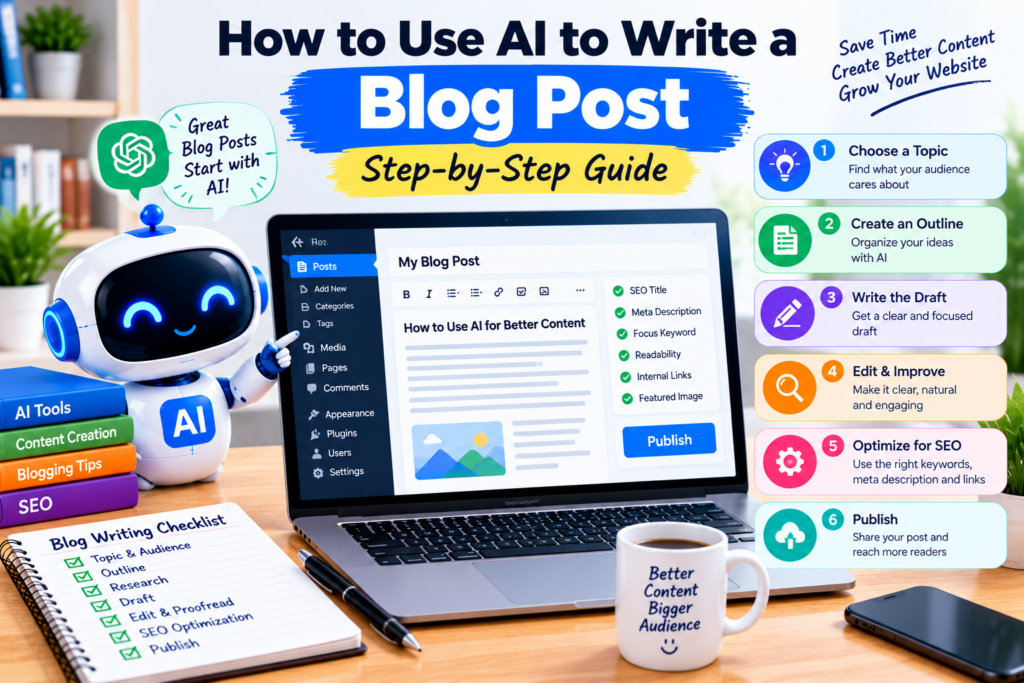
13. A Simple AI Blog Writing Workflow
Here is a practical workflow you can reuse for future articles:
| Stage |
|---|
| 1. Topic |
|---|
| 2. Planning |
|---|
| 3. Research |
|---|
| 4. Outline |
|---|
| 5. Draft |
|---|
| 6. Improve |
|---|
| 7. SEO |
|---|
| 8. Review |
|---|
| 9. Publish |
|---|
| 10. Maintain |
|---|
| What to Do |
|---|
| Choose a specific reader problem |
|---|
| Identify the audience and search intent |
|---|
| Gather and verify reliable information |
|---|
| Organize the main headings |
|---|
| Write one section at a time |
|---|
| Add examples and original insights |
|---|
| Prepare title, description, headings, and links |
|---|
| Fact-check and edit the article |
|---|
| Preview and publish the finished post |
|---|
| Review performance and update outdated details |
|---|
You can adapt this workflow to tutorials, tool reviews, comparison articles, and other educational content.
Frequently Asked Questions
Can AI write a complete blog post?
AI tools can generate a complete draft, but the result should be reviewed and improved before publication. Verify facts, add original value, and make sure the article meets your audience’s needs.
Which AI tools can help with blog writing?
ChatGPT, Google Gemini, and other AI writing assistants can help with brainstorming, outlining, drafting, and editing. Features vary by product and plan, so choose a tool based on your needs.
Can I use AI-generated articles on my website?
You can use AI to assist with content creation, but you should follow search engine policies and focus on helpful, original, reliable content. Publishing large amounts of unreviewed or low-value material can harm the quality of your website.
Does AI-written content rank on Google?
There is no guarantee that an article will rank because it was written with AI or by a person. Search visibility depends on many factors, including usefulness, relevance, competition, technical accessibility, and overall quality.
Is a paid AI tool necessary for blog writing?
Not necessarily. Free access may be sufficient for basic brainstorming, outlining, and editing. Consider paying only if a specific feature or higher usage limit provides enough value for your work.
Should I disclose that I used AI to write an article?
Disclosure requirements can depend on the publication, platform, subject, and applicable rules. Follow any relevant editorial, academic, legal, or organizational requirements, and never misrepresent testing or personal experience.
Conclusion
AI can make blog writing more organized by helping with topic ideas, outlines, research questions, drafting, editing, and SEO preparation.
However, a useful article requires more than generated text. You need to verify facts, understand your audience, provide original insights, and edit the final result carefully.
Start with one focused topic, use AI to support each stage of the writing process, and review everything before publishing.
With practice, you can develop a repeatable workflow that helps you create clearer and more useful articles for your readers.
Explore more beginner-friendly AI tutorials and practical guides on AIToolsNv.