

What Are AI Agents? A Beginner’s Guide
Artificial intelligence is changing how people work, learn, create content, and manage everyday tasks. Many people already use AI tools to write emails, answer questions, generate images, and summarize information. But a newer development is attracting attention: AI agents.
Unlike a basic AI tool that responds to a single prompt, an AI agent can be designed to work toward a goal, plan multiple steps, use connected tools, and carry out certain actions with limited human intervention.
In this beginner-friendly guide, you will learn what AI agents are, how they work, how they differ from chatbots, and how they may help with everyday tasks and business workflows.
What Are AI Agents?
An AI agent is a software system that uses artificial intelligence to pursue a goal and perform tasks on behalf of a user. Depending on its design and permissions, it may gather information, plan steps, use tools, check results, and continue working until it reaches a defined stopping point.
For example, a regular AI chatbot might suggest ways to organize your week. An AI agent could potentially organize your tasks, check your connected calendar, prepare a schedule, and ask for your approval before making changes.
The exact capabilities depend on the system. Not every product marketed as an AI agent can independently complete complex tasks.
How Do AI Agents Work?
AI agents generally combine an AI model with instructions, information, tools, and a process for deciding what to do next.
A typical workflow looks like this:
- Receive a goal: The user explains the result they want.
- Understand the task: The agent identifies the main objective and any important restrictions.
- Plan the steps: It divides the task into smaller actions.
- Use available tools: It may search information, read permitted files, or interact with connected applications.
- Check progress: It evaluates whether the actions are producing the intended result.
- Report or finish: It presents the outcome, requests approval, or stops if it cannot proceed safely.
Some agents can repeat steps or adjust their plan when something goes wrong. Others follow a much simpler workflow.
AI Agents vs. AI Chatbots
AI chatbots and AI agents are related, but they are not exactly the same.
| Feature |
|---|
| Basic AI Chatbot |
|---|
| AI Agent |
|---|
| Main purpose |
|---|
| Answer questions and generate responses |
|---|
| Work toward a defined goal |
|---|
| Typical workflow |
|---|
| Responds to a prompt |
|---|
| May plan and complete multiple steps |
|---|
| Tool usage |
|---|
| May have limited or optional tools |
|---|
| May use connected tools to perform actions |
|---|
| Independence |
|---|
| Usually needs continued user direction |
|---|
| Can have limited autonomy within set permissions |
|---|
| Human oversight |
|---|
| User reviews the response |
|---|
| User should supervise important actions and results |
|---|
Important: These categories can overlap. Modern AI assistants may include agent-like features, so the difference depends on what the product can actually do.
Real-World Examples of AI Agents
AI agents can support many kinds of work. Here are practical examples of what they may be configured to do.
1. Research Agent
A research agent can search approved sources, collect relevant information, compare findings, and prepare a summary.
For example, a student could ask it to research a topic and organize useful sources. The student should still verify important facts and read original sources when needed.
2. Writing and Content Agent
A content agent may help plan an article, organize an outline, draft sections, and check whether required topics have been covered.
For a website owner, it could support a content workflow from topic research to a draft ready for human editing. Original insights, factual checks, and editorial review remain important.
3. Customer Support Agent
A customer support agent may answer common questions using an approved knowledge base, identify a customer’s issue, and route more difficult requests to a human representative.
Actions involving refunds, private information, or account changes should have appropriate permission checks and escalation rules.
4. Scheduling Agent
A scheduling agent could review a connected calendar, identify suitable meeting times, and prepare invitations.
Depending on its permissions, it might need the user’s approval before sending invitations or changing existing appointments.
5. Data Analysis Agent
A data analysis agent may inspect an authorized spreadsheet, calculate summaries, identify patterns, and explain unusual results.
Its output should be checked, especially when calculations influence business, financial, or other important decisions.
6. E-Commerce Support Agent
An e-commerce agent could help track orders, answer product questions, and identify delivery issues by using approved store systems.
It should not be allowed to expose customer information or perform sensitive actions without suitable access controls.
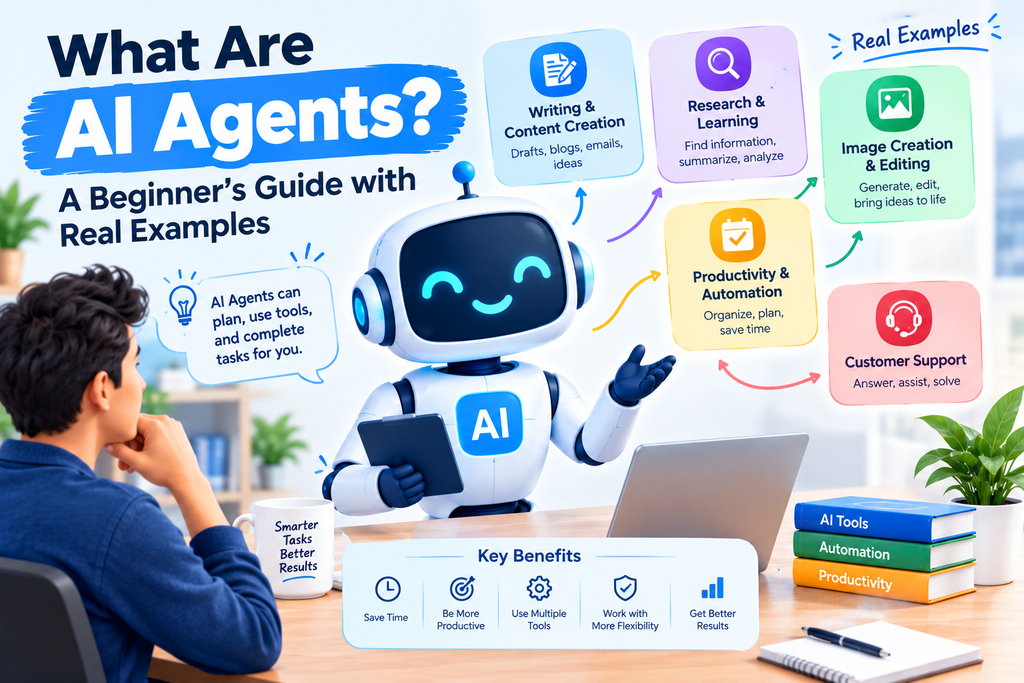
Benefits of AI Agents
AI agents can offer several potential advantages when configured correctly.
- Save time: They can handle repetitive, multi-step workflows.
- Organize work: They can break large tasks into smaller actions.
- Connect tools: They may work across approved applications and information sources.
- Support productivity: They can help users focus on decisions and creative work.
- Provide consistent workflows: They can follow defined instructions and procedures.
These benefits are not automatic. Results depend on the task, data quality, tool access, system design, and human supervision.
Limitations and Risks of AI Agents
AI agents are useful, but they are not perfect or fully reliable.
They Can Make Mistakes
An agent may misunderstand instructions, use outdated information, or produce an incorrect result. Important outputs should be verified.
They May Need Paid Access
Some agent features require subscriptions, usage credits, API access, or paid integrations. Check the pricing and usage limits before building a workflow.
Privacy and Security Matter
An agent may access documents, emails, customer records, or other connected data. Give it only the permissions it needs, and avoid sharing passwords or unnecessary sensitive information.
Actions Can Have Consequences
Sending messages, deleting files, publishing content, spending money, or changing records can create problems if an agent acts incorrectly. Require human approval for important or irreversible actions.
Not Every Task Needs an Agent
A simple chatbot or traditional automation may be faster, cheaper, and easier to maintain for a small task. Choose the simplest solution that meets your needs.
AI Agents vs. Traditional Automation
Traditional automation usually follows predefined rules. For example, a workflow may send an email whenever a form is submitted.
An AI agent may be able to interpret a less structured request, choose among available tools, and adapt its next steps based on the result.
In practice, many useful systems combine both approaches: traditional automation handles predictable steps, while AI handles language, classification, or more flexible decisions.
How Beginners Can Start Using AI Agents
You do not need to build a complex AI system to get started.
- Choose one small task. Start with something like organizing research notes or categorizing non-sensitive information.
- Define the desired result. Explain what success looks like and what the agent must not do.
- Choose a suitable tool. Compare its actual capabilities, cost, privacy settings, and integrations.
- Test with sample data. Avoid giving broad access to important accounts at the beginning.
- Review the results. Check accuracy, time saved, and any errors.
- Add permissions gradually. Allow more actions only after testing and establishing suitable safeguards.
Start with a task that is easy to reverse and does not involve sensitive information.
Are AI Agents Free?
Some platforms provide limited free access to AI features or agent-building tools. More advanced capabilities may require a paid plan, API usage, or additional services.
Before choosing a tool, check whether the free plan includes the integrations and actions you need. Also review usage limits, data-handling policies, and whether your information may be used to improve the service.
Free access and features can change, so confirm current details on the provider’s official website.
Do AI Agents Replace Human Workers?
AI agents can automate parts of a job, but they do not reliably replace every responsibility a person performs.
Many tasks require judgment, empathy, accountability, domain knowledge, and an understanding of context. Human review remains especially important for decisions involving money, safety, personal information, or legal obligations.
A practical approach is to use agents as assistants for clearly defined tasks while keeping people responsible for important decisions.
Frequently Asked Questions
What is an AI agent in simple words?
An AI agent is an AI-powered system designed to work toward a goal. It may plan steps, use connected tools, and complete actions instead of only generating a response.
Is ChatGPT an AI agent?
ChatGPT is an AI assistant that can provide agent-like capabilities in supported experiences and configurations. Whether it can act as an agent depends on the features, tools, and permissions available in the particular setup.
What is the difference between an AI agent and a chatbot?
A basic chatbot mainly responds to user messages. An AI agent may plan and carry out a sequence of actions to reach a goal. Some modern systems combine both capabilities.
Can beginners use AI agents?
Yes. Beginners can start with tools that offer guided workflows or simple task automation. It is best to begin with low-risk tasks and review the results before allowing more independent actions.
Are AI agents safe to use?
They can be useful when configured responsibly, but they can make mistakes or misuse permissions. Limit access, protect sensitive information, and require approval for consequential actions.
Do AI agents need human supervision?
For most real-world uses, human supervision is important. The level of oversight should depend on the risk and consequences of the task.
Final Thoughts
AI agents extend the possibilities of artificial intelligence by helping systems work toward goals, use tools, and coordinate multiple steps. They can support research, writing, scheduling, customer service, and other workflows.
However, more autonomy also means more responsibility. The best results come from choosing a suitable task, setting clear limits, checking outputs, and keeping people involved in important decisions.
If you are new to AI, start small, learn how a tool works, and expand its responsibilities only when you are confident in its results.