Best Free AI Productivity Tools for Everyday Work
Artificial intelligence is changing the way people work, study, organize information, and manage everyday tasks. Activities that once required hours of effort can now be completed more efficiently with the help of AI-powered tools.
From writing emails and summarizing documents to researching topics and organizing projects, AI productivity tools can help individuals save time and improve their workflow. Many tools also offer free versions, allowing beginners to explore AI without purchasing expensive software.
However, choosing the right tool can be confusing. Some AI assistants are better for writing, while others focus on research, grammar correction, note-taking, or project management. Free plans may also include restrictions on usage, advanced features, or file uploads.
In this guide, we will explore some of the best free AI productivity tools, compare their features, explain their limitations, and show you how to use them effectively.
What Are AI Productivity Tools?
AI productivity tools are applications that use artificial intelligence to help people complete tasks more efficiently.
These tools can understand instructions, generate text, summarize information, organize ideas, and assist with different types of work. Some tools focus on one specific task, while others combine several features in a single platform.
For example, an AI assistant can help you prepare an email, explain a difficult topic, summarize a long document, or create a daily task list.
AI productivity tools can be useful for:
- Students preparing study notes.
- Bloggers researching and organizing article ideas.
- Freelancers managing client work.
- Business owners preparing documents and emails.
- Office workers organizing information.
- Researchers exploring topics.
- Content creators planning videos and social media posts.
AI tools are most effective when they support human judgment rather than replace it completely. Important facts, calculations, and recommendations should always be checked before use.
Best Free AI Productivity Tools
The following tools serve different purposes. Their free features and usage limits can change, so check the official websites before choosing a tool for regular work.
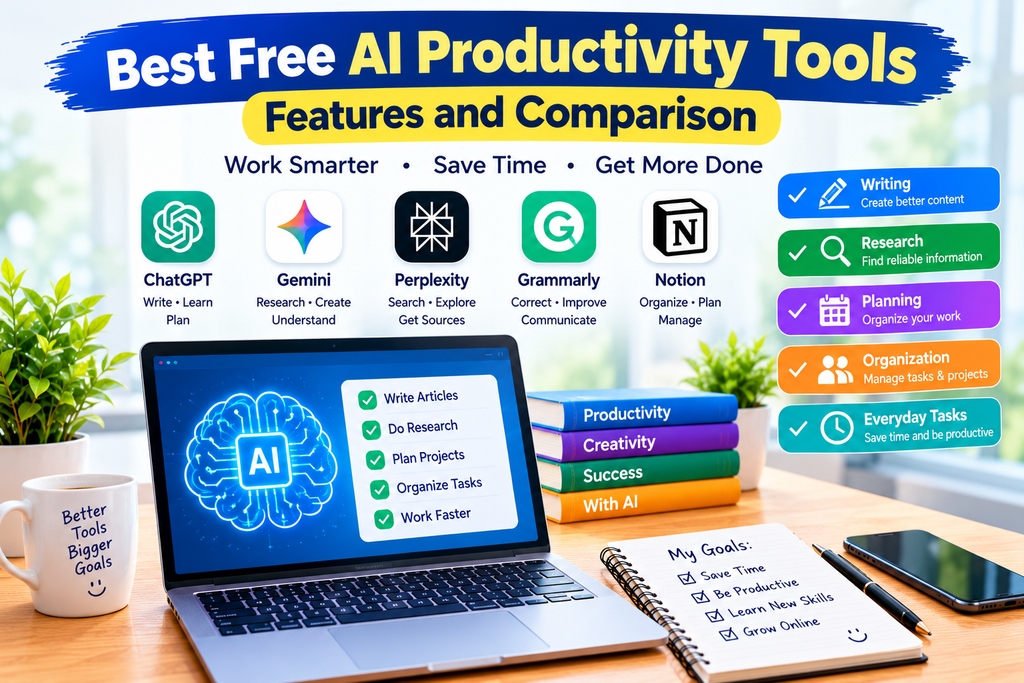
1. ChatGPT
ChatGPT is an AI assistant that can help with writing, learning, planning, brainstorming, research, and many other everyday tasks. Depending on current availability and usage limits, its free plan also supports tools such as web search, file analysis, image uploads, and image creation. Official ChatGPT Free information.
Key features
- Generate and improve written content.
- Explain complex topics in simple language.
- Summarize documents and text.
- Brainstorm ideas for articles and projects.
- Help organize schedules and task lists.
- Assist with coding and problem-solving.
- Search for current information when web search is available.
Example use case
A blogger can ask ChatGPT to create an article outline, suggest relevant questions, explain a technical topic, and improve a draft before publication.
Free-plan limitations
Some tools have usage limits, and availability may vary. Generated information can also contain mistakes, so verify important claims using reliable sources.
Best for: General productivity, writing, learning, planning, and brainstorming.
Website: https://chatgpt.com/
2. Google Gemini
Google Gemini is an AI assistant designed to help users with learning, writing, planning, research, and creative tasks. Google’s free offering in India includes access to its Gemini app, with features and usage limits depending on current availability. Official Gemini plans in India.
Key features
- Answer questions and explain concepts.
- Help draft emails and other written content.
- Summarize and organize ideas.
- Assist with research and planning.
- Support certain image-related and creative tasks.
- Provide access to additional features depending on the account.
Example use case
A student can ask Gemini to explain a difficult subject step by step, while a content creator can use it to brainstorm ideas for future videos.
Free-plan limitations
Access to advanced models and features may be limited. Check which tools are available under your account before depending on a specific capability.
Best for: General assistance, learning, research, and creative brainstorming.
Website: https://gemini.google.com/
3. Perplexity
Perplexity is an AI-powered search and research tool that provides answers with citations. It can be useful when you need to explore a topic and find sources for further reading.
Unlike a traditional search engine that mainly presents links, Perplexity generates a written response based on information it retrieves and provides citations to help you investigate the underlying sources. Its free plan offers basic searches and limited access to advanced features. Official Perplexity pricing.
Key features
- Research topics using conversational questions.
- Receive answers with citations.
- Explore related questions.
- Find sources for additional reading.
- Use basic search features without a paid subscription.
Example use case
A blogger researching AI technology can ask for an overview of a topic, review the cited sources, and use reliable original sources to develop an accurate article.
Free-plan limitations
Advanced search options, models, and other capabilities may have restrictions. A citation does not automatically mean a statement is correct, so open and check the source yourself.
Best for: Research, exploring unfamiliar topics, and finding references.
Website: https://www.perplexity.ai/
4. Grammarly
Grammarly is a writing assistant that helps users improve spelling, grammar, clarity, and tone. It can be particularly useful for people who write emails, reports, articles, and professional messages in English.
Grammarly’s free plan includes writing assistance and a limited allowance for generative AI prompts. Features and allowances may change. Official Grammarly plans.
Key features
- Identify spelling and grammar mistakes.
- Improve clarity and readability.
- Receive writing suggestions.
- Review the tone of a message.
- Generate text using available AI features.
- Help make professional communication clearer.
Example use case
After writing a blog article, you can use Grammarly to identify grammar problems and improve sentence clarity. You should still review every suggestion to make sure the meaning remains accurate.
Free-plan limitations
Some advanced rewriting, tone, and writing features require a paid plan. The free plan has limits on generative AI usage.
Best for: Grammar correction, proofreading, and improving English writing.
Website: https://www.grammarly.com/
5. Notion
Notion is a workspace for organizing notes, documents, tasks, and projects. It can help users keep information in one place instead of managing everything through separate documents and lists.
Notion also offers AI features, but its free plan provides limited trial access to Notion AI rather than unlimited AI usage. Official Notion pricing.
Key features
- Create and organize notes.
- Maintain task lists and project pages.
- Build simple content calendars.
- Organize research and reference material.
- Collaborate on documents.
- Try selected AI writing and organization features.
Example use case
A blogger can create a content calendar with planned article titles, publishing dates, keywords, and draft status.
Free-plan limitations
AI usage is limited, and some advanced workspace features require a paid subscription. File-upload limits and collaboration features also depend on the plan.
Best for: Note-taking, project organization, content planning, and managing information.
Website: https://www.notion.com/
AI Productivity Tools Comparison
| Tool |
|---|
| ChatGPT |
|---|
| Google Gemini |
|---|
| Perplexity |
|---|
| Grammarly |
|---|
| Notion |
|---|
| Main purpose |
|---|
| General AI assistance |
|---|
| AI assistant |
|---|
| AI search and research |
|---|
| Writing improvement |
|---|
| Notes and project organization |
|---|
| Best use |
|---|
| Writing, planning, learning |
|---|
| Research, learning, brainstormingt |
|---|
| Finding information and sources |
|---|
| Grammar and proofreading |
|---|
| Tasks, documents, planning |
|---|
| Free access |
|---|
| Yes, with limits |
|---|
| Yes, with limits |
|---|
| Yes, with limits |
|---|
| Yes, with limits |
|---|
| Yes, with limited AI trial |
|---|
This comparison is intended to help you choose a starting point. The tools are not identical, and one may be more useful than another depending on your work.
How to Choose the Right AI Productivity Tool
You do not need to use every available AI tool. Start with the tasks you perform most often and choose a tool that addresses those needs.
1. Identify Your Main Goal
Ask yourself what you want to improve.
- For writing and brainstorming, try ChatGPT.
- For a general-purpose assistant and learning, explore Google Gemini.
- For research with citations, try Perplexity.
- For English grammar and clarity, use Grammarly.
- For organizing projects and notes, explore Notion.
These are starting recommendations rather than fixed rankings.
2. Check the Free Plan
Before creating an account, review the free plan’s current limits. Pay attention to message allowances, AI credits, file uploads, export options, and advanced features.
A tool may be free to access while still limiting the features you need most.
3. Test a Real Task
Instead of judging a tool only by its advertising, give it a task you actually need to complete.
For example, ask it to summarize a document, help organize a project, or improve a paragraph you have written. Compare the result with your expectations.
4. Consider Ease of Use
A tool with many advanced features may not be the best choice if it makes simple tasks difficult.
Choose an interface you understand and a workflow you can repeat comfortably.
5. Protect Your Information
Do not upload passwords, confidential business documents, financial details, or sensitive personal information without understanding the service’s privacy and data-handling practices.
For professional or workplace use, check your organization’s policies before using external AI services.
Practical Ways to Use AI Productivity Tools
Here are several examples of how these tools can fit into everyday work.
For Students
Students can use AI to:
- Explain difficult concepts.
- Create revision questions.
- Summarize study material.
- Build a study schedule.
- Improve the clarity of their notes.
Use AI to support learning rather than simply copying answers. Verify information with textbooks and reliable educational sources.
For Bloggers
Bloggers can use AI to organize their content workflow.
- Brainstorm article topics.
- Research the topic using trustworthy sources.
- Prepare an outline.
- Write a draft and improve its clarity.
- Check facts and links.
- Edit and publish the article.
AI-generated content should be reviewed, fact-checked, and improved with original explanations and useful examples. Publishing large quantities of generic material without adding value is not a good content strategy.
For Freelancers
Freelancers can use AI to draft proposals, prepare client emails, summarize meeting notes, and organize project tasks.
Always review the final wording and ensure that it reflects the client’s actual requirements.
For Small Businesses
Small businesses can use AI to brainstorm marketing ideas, draft product descriptions, prepare FAQs, and organize internal documents.
Check factual claims, pricing, product specifications, and legal or financial information before publishing or sending AI-generated content.
Tips for Getting Better Results From AI
The quality of an AI response often depends on how clearly you explain the task.
Be Specific
Instead of writing “Help me with an article,” explain the topic, audience, purpose, and desired format.
For example:
“Create a beginner-friendly outline for an article explaining AI productivity tools. Include practical examples, advantages, limitations, and frequently asked questions.”
Provide Context
Tell the tool what you are trying to accomplish. A student preparing for an exam has different needs from a business owner preparing a customer email.
Ask for a Useful Format
You can request a checklist, table, outline, summary, step-by-step explanation, or comparison to make the response easier to use.
Verify Important Information
AI assistants may provide inaccurate facts, outdated details, or incorrect citations. Confirm important claims using official documentation and reliable sources.
Improve the First Draft
Treat the initial answer as a starting point. Ask follow-up questions, correct errors, add your own knowledge, and refine the final result.
Advantages of Free AI Productivity Tools
Free AI tools offer several benefits:
- Lower cost: You can explore useful features without immediately buying a subscription.
- Time savings: Repetitive drafting, summarizing, and organizing tasks may become faster.
- Accessibility: Beginners can try AI without advanced technical knowledge.
- Flexibility: Different tools support different types of work.
- Learning support: AI can explain concepts and suggest ways to approach a problem.
However, these advantages depend on the task, the tool, and how carefully you use its output.
Limitations of AI Productivity Tools
AI tools are helpful, but they have important limitations.
Incorrect information: AI-generated answers can contain errors or unsupported claims.
Usage restrictions: Free plans may limit advanced features, file uploads, or the number of AI actions you can perform.
Privacy concerns: Uploaded information may be subject to the provider’s data policies and settings.
Overdependence: Relying entirely on AI can reduce opportunities to practice independent thinking and problem-solving.
Editing requirements: Generated text may sound generic, repeat ideas, or miss important context.
The best approach is to use AI as an assistant and remain responsible for the final result.
Frequently Asked Questions
1. What are the best free AI productivity tools?
ChatGPT, Google Gemini, Perplexity, Grammarly, and Notion are useful options for different tasks. The best choice depends on whether you need writing assistance, research, proofreading, or project organization.
2. Can I use AI productivity tools without paying?
Yes. These tools offer free access in some form, but individual features and usage limits vary. Check the current plan before relying on a particular feature.
3. Which AI tool is best for research?
Perplexity is designed for AI-powered search and cited answers. ChatGPT and Gemini can also assist with research, depending on the available features. Always check the original sources before using factual claims.
4. Which AI tool is useful for English writing?
Grammarly is useful for grammar correction and proofreading. ChatGPT and Gemini can help brainstorm, draft, and revise content. Review the final text to preserve your intended meaning.
5. Can AI productivity tools help bloggers?
Yes. They can help bloggers brainstorm topics, plan article structures, research subjects, improve drafts, and organize a publishing calendar. Original insights, fact-checking, and editorial judgment remain important.
6. Are free AI tools safe?
Safety depends on the provider, the tool, and the information you share. Review privacy policies and settings, and avoid uploading sensitive or confidential data unless you understand how it will be handled.
7. Do I need to use several AI tools?
No. One general-purpose assistant may be sufficient for many everyday tasks. Add specialized tools only when they solve a real problem in your workflow.
Conclusion
The best free AI productivity tools can help you write more clearly, research unfamiliar subjects, organize projects, and manage everyday tasks. ChatGPT and Gemini are useful general-purpose assistants, Perplexity supports research, Grammarly helps improve writing, and Notion can organize notes and projects.
You do not need to pay for multiple subscriptions immediately. Start with one or two free tools, test them on real tasks, and compare their usefulness and limitations.
Most importantly, use AI responsibly. Verify facts, protect private information, and improve generated material with your own knowledge and judgment. With the right approach, AI productivity tools can become valuable assistants for studying, blogging, freelancing, and everyday work.
Note: AI features, free-plan limits, and pricing can change. Check each provider’s official website for the latest details before making a decision.