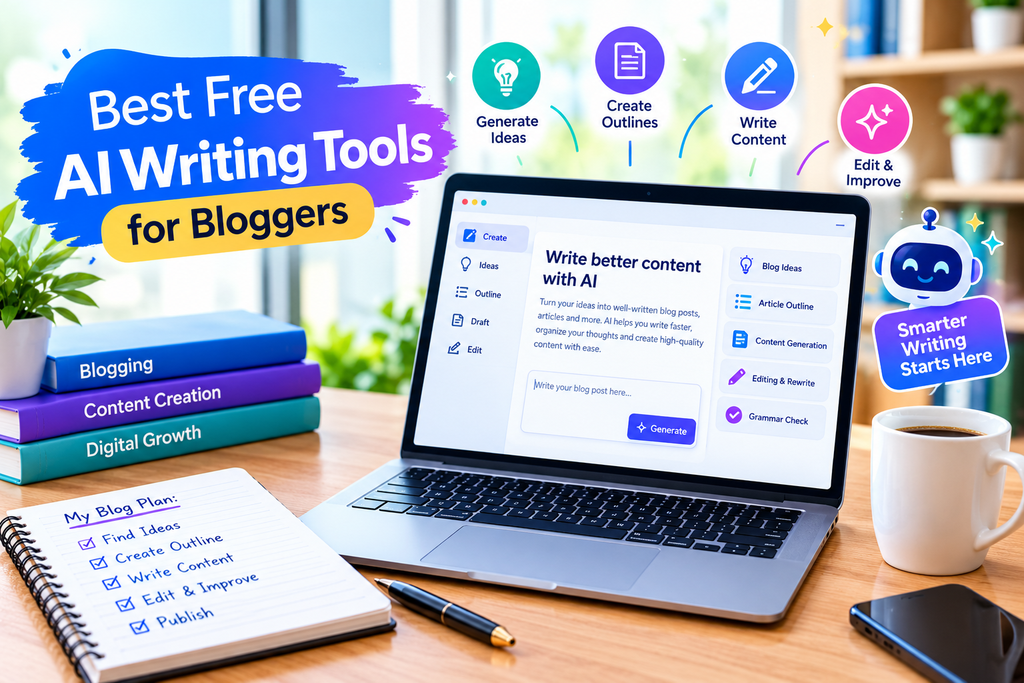
Best Free AI Writing Tools for Bloggers
Artificial intelligence is changing the way people write, edit, and create content online. Tasks that once required hours of brainstorming and editing can now be completed more efficiently with the help of AI writing tools.
Whether you are a student, blogger, freelancer, business owner, or content creator, AI writing tools can help you generate ideas, prepare first drafts, improve grammar, summarize information, and organize your thoughts.
The good news is that you do not always need to purchase a premium subscription to get started. Several popular AI writing tools offer free versions, although their features and usage limits vary.
In this guide, we will explore the best free AI writing tools in 2026, explain what each tool does, compare their main uses, and help you choose the right option for your needs.
Table of Contents
- What Are AI Writing Tools?
- Benefits of Using AI Writing Tools
- Best Free AI Writing Tools in 2026
- Comparison of the Best Free AI Writing Tools
- How to Choose the Right AI Writing Tool
- How to Use AI Writing Tools Effectively
- Limitations of AI Writing Tools
- Are Free AI Writing Tools Good Enough?
- Frequently Asked Questions
- Conclusion
1. What Are AI Writing Tools?
AI writing tools are software applications that use artificial intelligence to help people create, edit, improve, or organize written content.
These tools can understand instructions written in everyday language and generate responses based on the information and context they receive.
For example, you can ask an AI writing tool to suggest blog topics, prepare an article outline, explain a difficult concept, correct grammar, or rewrite a paragraph in simpler language.
Depending on the tool, you may also be able to summarize documents, draft emails, create social media captions, and adjust the tone of your writing.
AI writing tools are useful in many situations, including:
- Writing blog posts and website articles
- Generating content ideas
- Preparing emails and business documents
- Improving grammar and readability
- Creating social media captions
- Summarizing lengthy text
- Rewriting unclear sentences
- Brainstorming headlines and outlines
- Organizing research and notes
However, AI-generated content is not always accurate. These tools can misunderstand a question, produce outdated information, or generate statements that sound convincing but are incorrect.
Therefore, the best approach is to use AI as a writing assistant rather than treating it as a complete replacement for human judgment.
2. Benefits of Using AI Writing Tools
AI writing tools can make everyday writing tasks easier when used appropriately.
Save Time
Starting an article from a blank page can be difficult. AI tools can suggest ideas, prepare outlines, and create initial drafts that you can develop further.
This can help writers spend less time on repetitive tasks and more time improving the final content.
Generate New Ideas
If you are unsure what to write about, AI can suggest topics, questions, headlines, and content structures.
For example, a technology blogger can ask for article ideas about AI image generators, writing assistants, video creation tools, or productivity software.
Improve Grammar and Readability
Grammar and editing tools can identify spelling mistakes, punctuation issues, unclear sentences, and opportunities to improve readability.
This is especially helpful for people writing in a language they are still learning.
Support Different Types of Writing
AI writing tools can assist with blog posts, product descriptions, reports, emails, scripts, and social media content.
Some tools are designed for general writing, while others focus on a particular task, such as proofreading or paraphrasing.
Help Beginners Get Started
People who are new to blogging or content creation can use AI to learn how to structure an article, write introductions, develop headings, and explain complex subjects.
The final content should still reflect the writer’s own knowledge, research, and editorial decisions.
3. Best Free AI Writing Tools in 2026-27
The following tools serve different purposes. Some are general-purpose AI assistants, while others specialize in grammar, rewriting, or editing.
Free-plan features and usage limits can change, so check each provider’s official website before relying on a particular feature.
1. ChatGPT — Best for General Writing and Brainstorming
ChatGPT is a general-purpose AI assistant that can help with a wide range of writing tasks.
You can use it to brainstorm topics, prepare outlines, draft articles, simplify explanations, improve sentence structure, and develop ideas for different audiences.
Main features and uses:
- Blog topic and headline suggestions
- Article outlines and first drafts
- Rewriting and simplifying text
- Email and social media content
- Explanations and brainstorming
- Assistance with editing and organizing information
Example use: A blogger can request an outline for an article about free AI image editing tools and then develop each section with verified information and original examples.
Free-plan availability: ChatGPT offers a free plan with access to various features, subject to usage limits. Availability and limits can change. Visit the official website for current details.
Best for: Bloggers, students, beginners, and general content creators.
Limitation: Generated information can be inaccurate or incomplete. Important facts, technical details, and claims should be checked before publication.
Official website: https://chatgpt.com/
2. Google Gemini — Best for Ideas and Everyday Assistance
Google Gemini is an AI assistant that can help users explore ideas, understand topics, summarize information, and draft written content.
It can be useful when you need to turn a broad subject into a clear outline or generate different approaches to a writing task.
Main features and uses:
- Brainstorming blog topics
- Drafting and refining paragraphs
- Explaining complex concepts
- Summarizing information
- Generating questions for an article
- Supporting writing workflows connected to Google’s ecosystem where available
Example use: Ask Gemini to suggest ten article ideas for a website about AI tools, then evaluate which topics are most relevant to your readers.
Free-plan availability: Gemini offers free access, with some features and usage subject to account, region, and plan limitations.
Best for: Idea generation, research assistance, and everyday writing.
Limitation: Do not assume every response is factually correct. Verify claims and confirm that any suggested feature is available in your region and plan.
Official website: https://gemini.google.com/
3. Claude — Best for Long-Form Drafting and Editing
Claude is an AI assistant that can help with writing, explaining information, reviewing text, and working with longer documents.
Writers may find it useful for developing article structures, improving transitions, reviewing a draft for consistency, or identifying sections that need clarification.
Main features and uses:
- Drafting and revising articles
- Improving paragraph flow
- Summarizing documents
- Developing outlines
- Reviewing writing for clarity
- Adjusting tone for different audiences
Example use: Give Claude a draft introduction and ask it to identify unclear sentences, repetitive ideas, and places where the explanation needs a practical example.
Free-plan availability: Claude offers a free plan in supported locations, subject to usage limits and feature availability.
Best for: Writers working on detailed drafts, explanations, and document editing.
Limitation: Free usage may be restricted, and the quality of its output depends on the prompt and available context. Verify factual claims independently.
Official website: https://claude.ai/
4. Grammarly — Best for Grammar and Proofreading
Grammarly is a writing assistance tool that helps users improve grammar, spelling, punctuation, and the overall clarity of their writing. It is especially useful for bloggers, students, freelancers, and content creators who want to make their writing easier to understand.
You can use Grammarly to review blog posts, emails, website articles, and other written content before publishing or sharing it.
Main Features and Uses:
- Spelling and grammar checks
- Punctuation suggestions
- Clarity and conciseness improvements
- Writing assistance across supported applications
- Suggestions for professional communication
Example Use: After writing a blog post, review the text with Grammarly to identify spelling mistakes and sentences that may be difficult to understand.
Free-Plan Availability: Grammarly provides free writing assistance, while additional features may require a paid plan. Available features and limits can change.
Best For: Proofreading, emails, website content, and general editing.
Limitation: Automated suggestions are not always appropriate for your intended meaning. Review every important change instead of accepting all suggestions automatically.
Official Website: https://www.grammarly.com/
5. QuillBot — Best for Paraphrasing and Summarizing
QuillBot provides writing tools that can help users rephrase text, summarize information, and improve sentence clarity.
It can be useful when you want to express an idea more clearly or make a complicated paragraph easier to read.
Main features and uses:
- Paraphrasing assistance
- Text summarization
- Grammar checking
- Sentence restructuring
- Writing and language support
Example use: Take a paragraph you wrote yourself and use a paraphrasing tool to explore clearer ways of expressing the same idea. Compare the result with your original text before deciding what to keep.
Free-plan availability: QuillBot offers free access to several tools, with limits and additional features depending on the plan.
Best for: Rewriting, summarizing, and improving sentence structure.
Limitation: Paraphrasing does not guarantee originality, accuracy, or freedom from plagiarism. Always cite the original source when required and ensure that the final wording reflects your own understanding.
Official website: https://quillbot.com/
6. Hemingway Editor — Best for Readability
Hemingway Editor helps writers identify sentences that may be difficult to read.
It highlights issues such as complex sentences, excessive adverbs, and passive constructions so you can decide whether revisions would improve clarity.
Main features and uses:
- Identifying complicated sentences
- Improving readability
- Highlighting passive voice
- Finding potential wordiness
- Encouraging concise writing
Example use: Review a paragraph from a technology article and simplify sentences that contain too many technical terms or unnecessary words.
Free-plan availability: Hemingway provides online editing features, while other products or features may have separate pricing. Check the official website for the current offering.
Best for: Bloggers, students, editors, and writers who want clearer prose.
Limitation: Shorter sentences are not always better. Technical explanations sometimes require detail, and readability suggestions should not remove important meaning.
Official website: https://hemingwayapp.com/
7. LanguageTool — Best for Multilingual Grammar Checking
LanguageTool is a writing assistant that checks grammar, spelling, and style in supported languages.
It can be helpful for people who write in more than one language or want an additional proofreading option.
Main features and uses:
- Grammar and spelling checks
- Punctuation suggestions
- Style and wording recommendations
- Support for multiple languages
- Browser and application integrations where available
Example use: Check an English blog article for grammatical errors before publishing it on your WordPress website.
Free-plan availability: LanguageTool offers a free version, with some checks and features limited by plan.
Best for: Multilingual writers, students, and everyday proofreading.
Limitation: Language support and the accuracy of suggestions vary. Specialized technical terms, names, and intended stylistic choices may need manual review.
Official website: https://languagetool.org/
4. Comparison of the Best Free AI Writing Tools
The table below compares the tools by their main purpose, helping you choose an appropriate starting point.
| AI writing tool |
|---|
| ChatGPT |
|---|
| Google Gemini |
|---|
| Claude |
|---|
| Grammarly |
|---|
| QuillBot |
|---|
| Hemingway Editor |
|---|
| LanguageTool |
|---|
| Best use |
|---|
| General writing and brainstorming |
|---|
| Ideas and writing assistance |
|---|
| Drafting and editing |
|---|
| Grammar and proofreading |
|---|
| Paraphrasing and summarizing |
|---|
| Readability improvement |
|---|
| Grammar in supported languages |
|---|
| Free option |
|---|
| Yes, with limits |
|---|
| Yes, with limits |
|---|
| Yes, with limits |
|---|
| Yes, with limits |
|---|
| Yes, with limits |
|---|
| Online editing available |
|---|
| Yes, with limits |
|---|
This is a practical comparison of each tool’s main use, not a ranking based on controlled testing. The best choice depends on your task, language, preferred workflow, and the features available to your account.
Before choosing a tool, check its current free-plan restrictions, supported languages, privacy terms, and any requirements to create an account.
5. How to Choose the Right AI Writing Tool
You do not need to use every available writing tool. Start with the task you want to complete.
For Blogging and Website Articles
A general-purpose assistant such as ChatGPT, Gemini, or Claude can help you brainstorm, prepare outlines, and develop initial drafts.
You should then verify information, add examples, improve the article, and ensure it answers the reader’s actual question.
For Grammar and Editing
Consider Grammarly or LanguageTool for spelling, grammar, and writing suggestions.
Hemingway Editor can be useful when your goal is to make sentences clearer and more concise.
For Paraphrasing
QuillBot can help you explore alternative wording.
However, do not use paraphrasing to disguise copied material. Give proper credit to original sources and write in a way that demonstrates your own understanding.
For Students
AI writing assistants can help students understand topics, organize notes, brainstorm essay structures, and improve grammar.
Students should follow their institution’s rules on AI use and complete assignments honestly. AI-generated answers should not replace learning or independent thinking.
For Freelancers and Small Businesses
Writing tools can assist with emails, proposals, product descriptions, marketing drafts, and social media captions.
Before using any tool with client information, confidential documents, or personal data, review its privacy and data-handling policies.
6. How to Use AI Writing Tools Effectively
The quality of the output often depends on how clearly you explain the task.
Follow these steps to get more useful results.
Step 1: Define Your Goal
Decide what you want to create.
For example, specify whether you need a blog outline, a product description, an email, or a grammar review.
Step 2: Provide Clear Instructions
Tell the tool who the content is for, what it should cover, and what style you want.
A clear prompt usually produces a more relevant starting point than a vague request.
Step 3: Request an Outline First
For a long article, ask for the main headings and subheadings before requesting the complete draft.
Review the structure and remove sections that repeat the same information.
Step 4: Research and Verify Facts
Check important claims using reliable sources, particularly when writing about product features, prices, technical specifications, or current events.
When discussing a tool’s free plan, consult the provider’s official website.
Step 5: Edit the Draft
Improve the content by adding useful explanations, relevant examples, clear transitions, and details that genuinely help readers.
Remove unnecessary repetition and generic statements.
Step 6: Check Grammar and Readability
Use a proofreading tool if it helps, but review the suggestions yourself.
Make sure the final article is understandable to your intended audience.
Step 7: Publish Only After Reviewing
Before publishing, check links, headings, formatting, image descriptions, and factual accuracy.
For a WordPress article, also ensure the page works well on mobile devices and that its title accurately describes the content.
7. Limitations of AI Writing Tools
AI writing tools are useful, but they have limitations that every writer should understand.
Incorrect Information
An AI assistant may generate false details, misinterpret a question, or provide information that is no longer current.
What to do: Verify important facts using reliable sources, preferably the original provider when discussing product features.
Repetitive Content
AI-generated drafts can contain generic introductions, repeated explanations, and predictable conclusions.
What to do: Edit the draft carefully and add relevant examples, comparisons, and original insights.
Limited Free Usage
A free plan may restrict the number of requests, access to advanced models, file uploads, or certain editing features.
What to do: Check the current plan details and choose a tool that supports your actual needs before paying for an upgrade.
Privacy Concerns
Some writing tasks may involve confidential business information, unpublished work, or personal details.
What to do: Avoid sharing sensitive information unless you have reviewed the provider’s privacy terms and are comfortable with how the data may be handled.
Lack of Human Judgment
AI does not automatically understand every audience, cultural context, or business requirement correctly.
What to do: Use your own judgment to decide whether the content is appropriate, accurate, useful, and consistent with your goals.
8. Are Free AI Writing Tools Good Enough?
For many everyday writing tasks, free AI writing tools are a sensible starting point.
You may be able to brainstorm article ideas, draft short content, check grammar, and improve readability without purchasing a subscription.
However, free versions may have usage restrictions or exclude certain advanced features. Whether a free plan is sufficient depends on how frequently you write and the complexity of your tasks.
For a beginner blogger, a practical starting workflow could be:
- Use ChatGPT, Gemini, or Claude to brainstorm and organize ideas.
- Research the subject using reliable sources.
- Write and edit the article, adding original examples and useful details.
- Use Grammarly or LanguageTool to review grammar.
- Use Hemingway Editor if you need to simplify complicated sentences.
- Verify the final article before publishing.
You can start with one general writing assistant and one proofreading tool. Add other tools only when they solve a specific problem.
A Note for Website Owners
If you use AI to help produce website content, focus on usefulness, accuracy, and originality rather than publishing large numbers of articles simply to attract search traffic.
Google’s published guidance emphasizes helpful, reliable, people-first content. The important question is whether your page genuinely helps visitors accomplish what they came to do.
AI assistance by itself does not guarantee search rankings, and a particular word count does not guarantee success.
9. Frequently Asked Questions
1. What is the best free AI writing tool in 2026-27?
There is no single best tool for every task. ChatGPT, Gemini, and Claude are options for general writing assistance. Grammarly and LanguageTool focus on proofreading, while QuillBot specializes in tools such as paraphrasing and summarization.
Choose according to the task you need to complete.
2. Can I use AI writing tools for free?
Yes. Several providers offer free plans or free tools. However, some features may require payment, and usage limits can vary by account, location, and provider.
Always check the current terms on the official website.
3. Can AI writing tools help me write blog posts?
Yes. They can help you brainstorm ideas, create outlines, prepare initial drafts, improve wording, and check grammar.
For the best result, research the topic, verify facts, add original insights, and edit the content before publishing.
4. Can AI writing tools improve my English?
They can help you identify grammatical errors, understand alternative sentence structures, and make writing clearer.
To improve your skills, review the explanations behind suggested corrections instead of accepting every change automatically.
5. Are AI-generated articles automatically ranked by Google?
No. Using AI does not guarantee indexing, traffic, or rankings. Search performance depends on many factors, including relevance, content quality, competition, and how well the page satisfies the reader’s needs.
Create content for people rather than relying on automated text alone.
6. Is it safe to use free AI writing tools?
It depends on the provider, the tool’s data practices, and the information you submit. Review the privacy policy and data controls before sharing sensitive or confidential material.
7. Do I need multiple AI writing tools?
Not necessarily. One general-purpose assistant and one proofreading tool may be enough for many beginners.
Use additional tools when they provide a clear benefit to your workflow.
8. Can AI writing tools replace human writers?
AI can assist with many writing tasks, but human judgment remains important for accuracy, originality, context, research, and communication.
Writers who use AI effectively still need to review and improve the final result.
10. Conclusion
Free AI writing tools can make writing more manageable for bloggers, students, freelancers, and business owners. They can help with brainstorming, drafting, proofreading, paraphrasing, and improving readability.
ChatGPT, Google Gemini, and Claude are worth exploring for general writing assistance. Grammarly and LanguageTool can support proofreading, QuillBot can help with paraphrasing, and Hemingway Editor can help identify complicated sentences.
You do not need to start with every tool. Choose one that fits your main task, learn how to use it, and add another only when necessary.
Most importantly, treat AI-generated text as a starting point. Verify facts, respect original sources, protect sensitive information, and improve the content with your own knowledge and judgment.
The best AI writing tool is the one that helps you create clear, accurate, and genuinely useful content for your readers.